Minecraft 家庭指南针 UI
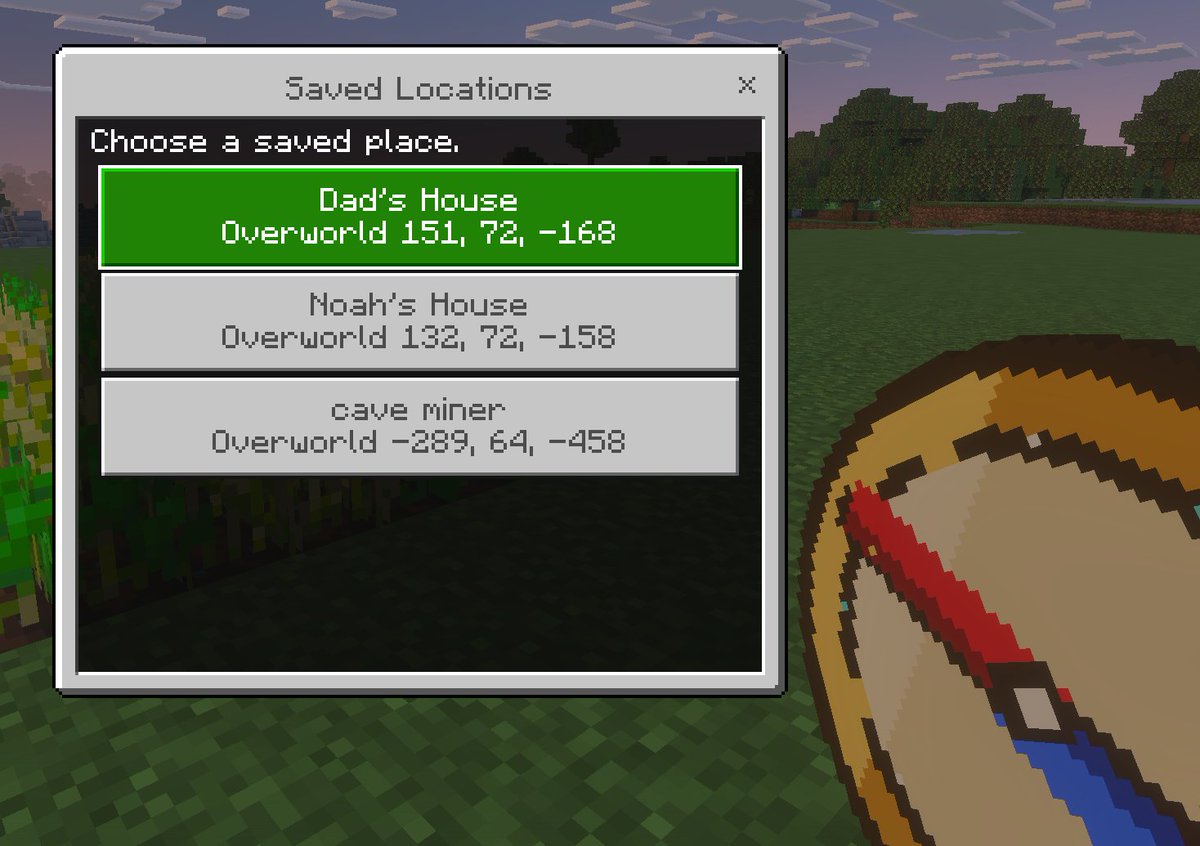
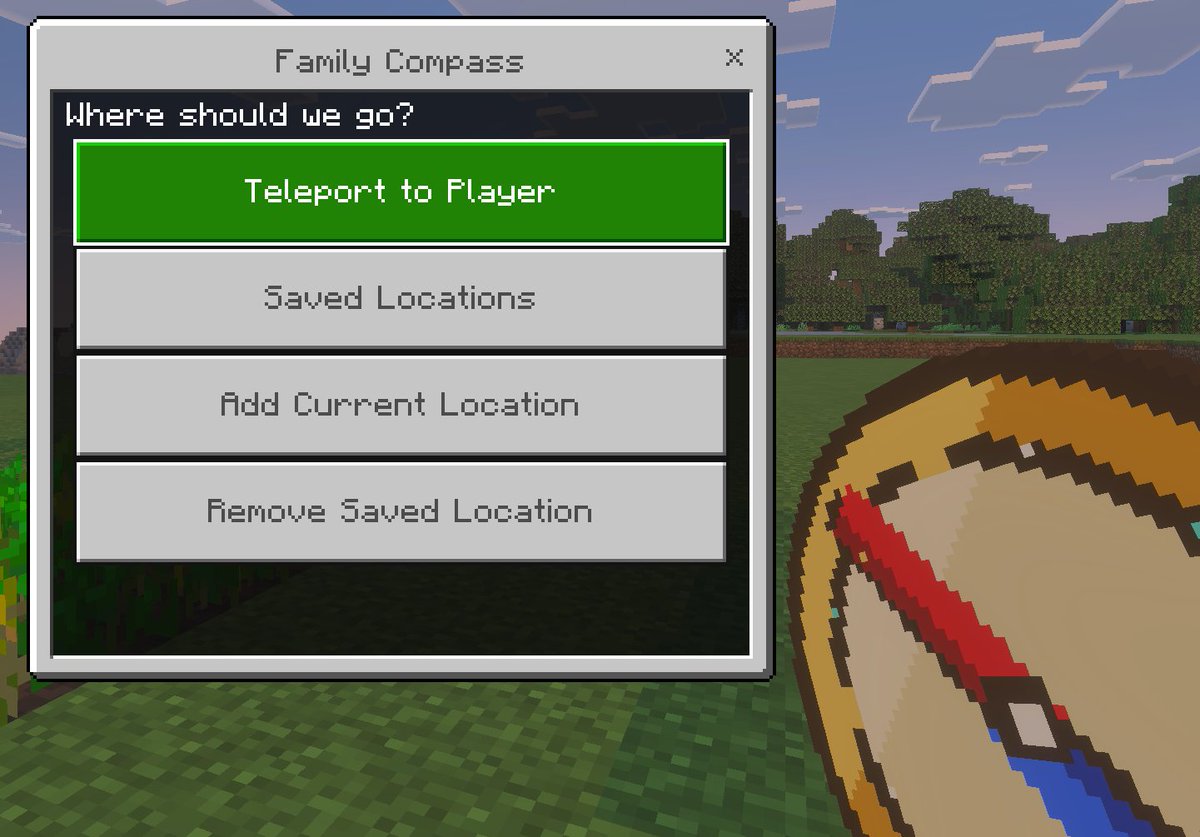
一款基岩版风格的 Minecraft 截图模型,包含自定义传送菜单和手持指南针,非常适合展示游戏模组、附加包或儿童友好型导航工具。
- Category
- UI & Interfaces
- Model
- GPT Image 2
- Creator
- Stephen Day | Google AI, Agents & Vibe Coding
- Source language
- en
- Source ID
- 16435
- Published
- Apr 26, 2026
Full prompt
A clean in-game screenshot mockup in the visual style of Minecraft Bedrock Edition, showing a custom teleport menu overlay titled {argument name="window title" default="Family Compass"}. The background is a bright outdoor Minecraft scene with blocky grass in the foreground, a line of leafy trees in the middle distance, and a pale blue sky with rectangular clouds. On the left side, a large Bedrock-style UI window dominates the frame, with a light gray panel, darker gray border, and a small close X in the top-right corner. Centered at the top of the window is the title text. Inside the panel, a dark header bar asks {argument name="prompt text" default="Where should we go?"}. Below it are exactly 4 large horizontal rectangular buttons stacked vertically with even spacing. The first button is highlighted bright green with white pixel-style text reading {argument name="primary button" default="Teleport to Player"}. The next 3 buttons are light gray with medium gray pixel-style text reading, in order, "Saved Locations", "Add Current Location", and "Remove Saved Location". In the lower-right foreground, partially cropped and held as if by the player, is an oversized pixel-art compass item with a tan face, gold rim, and a red needle angled diagonally downward, rendered in chunky Minecraft item icon style. Use authentic Minecraft Bedrock UI proportions, pixelated font, crisp blocky edges, soft in-game lighting, and a polished game-screenshot composition with the menu as the main focus.Translations
Minecraft 家庭指南针 UI
enA clean in-game screenshot mockup in the visual style of Minecraft Bedrock Edition, showing a custom teleport menu overlay titled {argument name="window title" default="Family Compass"}. The background is a bright outdoor Minecraft scene with blocky grass in the foreground, a line of leafy trees in the middle distance, and a pale blue sky with rectangular clouds. On the left side, a large Bedrock-style UI window dominates the frame, with a light gray panel, darker gray border, and a small close X in the top-right corner. Centered at the top of the window is the title text. Inside the panel, a dark header bar asks {argument name="prompt text" default="Where should we go?"}. Below it are exactly 4 large horizontal rectangular buttons stacked vertically with even spacing. The first button is highlighted bright green with white pixel-style text reading {argument name="primary button" default="Teleport to Player"}. The next 3 buttons are light gray with medium gray pixel-style text reading, in order, "Saved Locations", "Add Current Location", and "Remove Saved Location". In the lower-right foreground, partially cropped and held as if by the player, is an oversized pixel-art compass item with a tan face, gold rim, and a red needle angled diagonally downward, rendered in chunky Minecraft item icon style. Use authentic Minecraft Bedrock UI proportions, pixelated font, crisp blocky edges, soft in-game lighting, and a polished game-screenshot composition with the menu as the main focus.
Minecraft 家庭指南针 UI
zh-CN一张采用 Minecraft 基岩版视觉风格的简洁游戏内截图模型,展示了一个标题为 {argument name="window title" default="Family Compass"} 的自定义传送菜单叠加层。背景是明亮的 Minecraft 户外场景,前景是方块状的草地,中景是一排茂密的树木,远处是带有长方形云朵的淡蓝色天空。画面左侧是一个大型基岩版风格 UI 窗口,配有浅灰色面板、深灰色边框以及右上角的关闭按钮“X”。窗口顶部居中位置是标题文本。面板内部的深色标题栏显示提示文本 {argument name="prompt text" default="Where should we go?"}。下方垂直堆叠着 4 个间距均匀的大型水平矩形按钮。第一个按钮高亮显示为亮绿色,带有白色像素风格文本 {argument name="primary button" default="Teleport to Player"}。接下来的 3 个按钮为浅灰色,带有中灰色像素风格文本,依次为“Saved Locations”、“Add Current Location”和“Remove Saved Location”。在右下角前景处,部分被裁剪并呈现出玩家手持的效果,是一个超大的像素艺术指南针物品,具有棕褐色表盘、金色边框和斜向下的红色指针,以厚实的 Minecraft 物品图标风格渲染。请使用地道的 Minecraft 基岩版 UI 比例、像素化字体、清晰的方块边缘、柔和的游戏内光影,以及以菜单为视觉焦点的精致游戏截图构图。