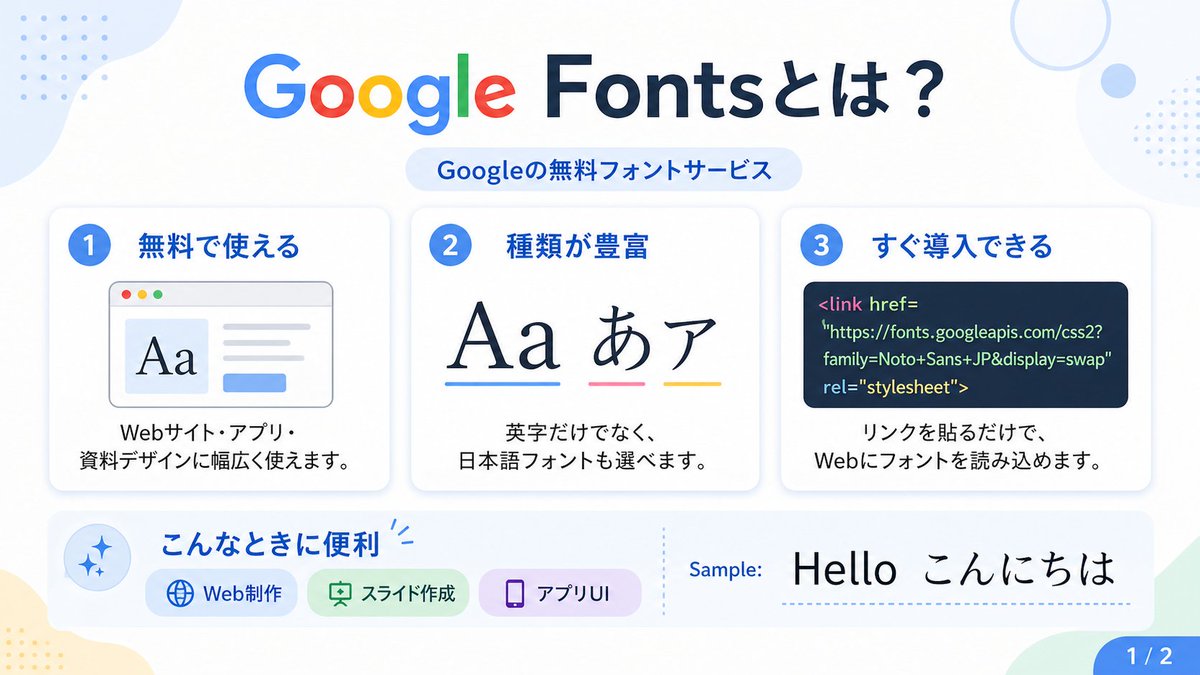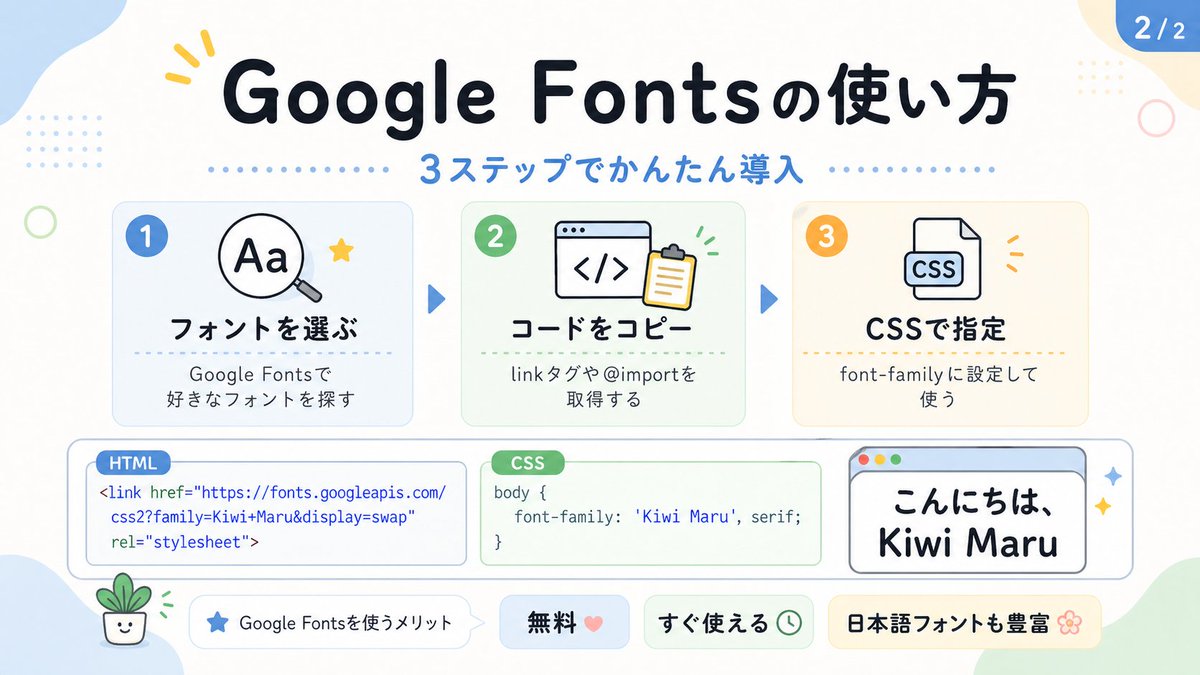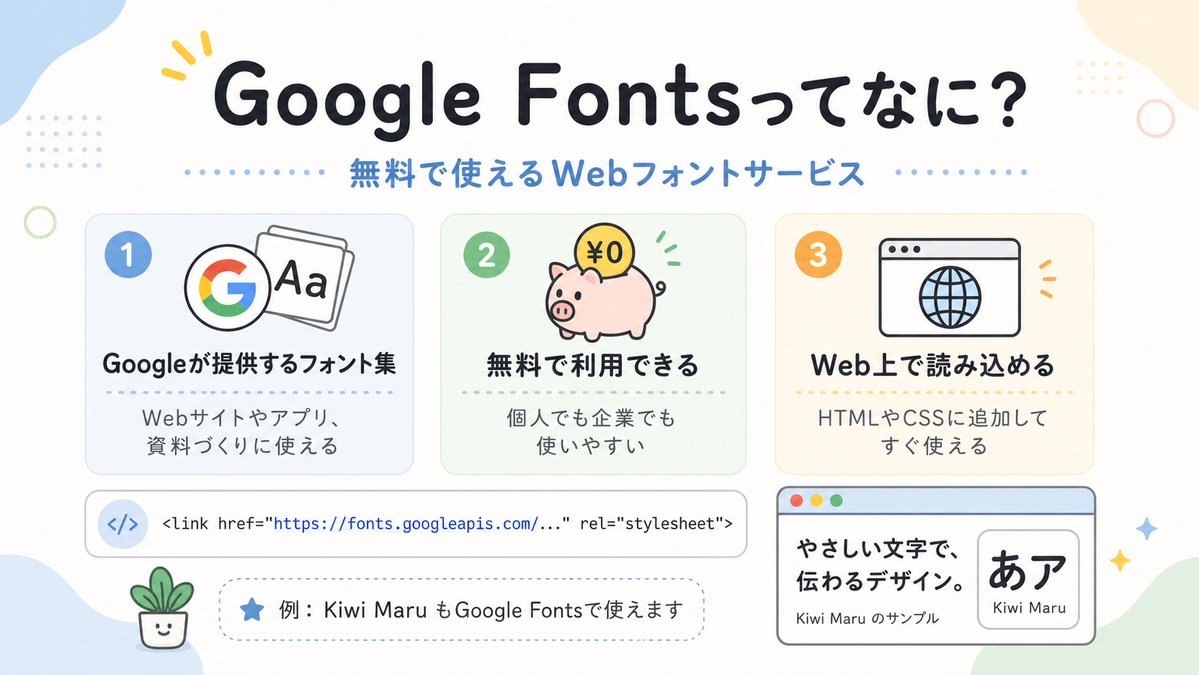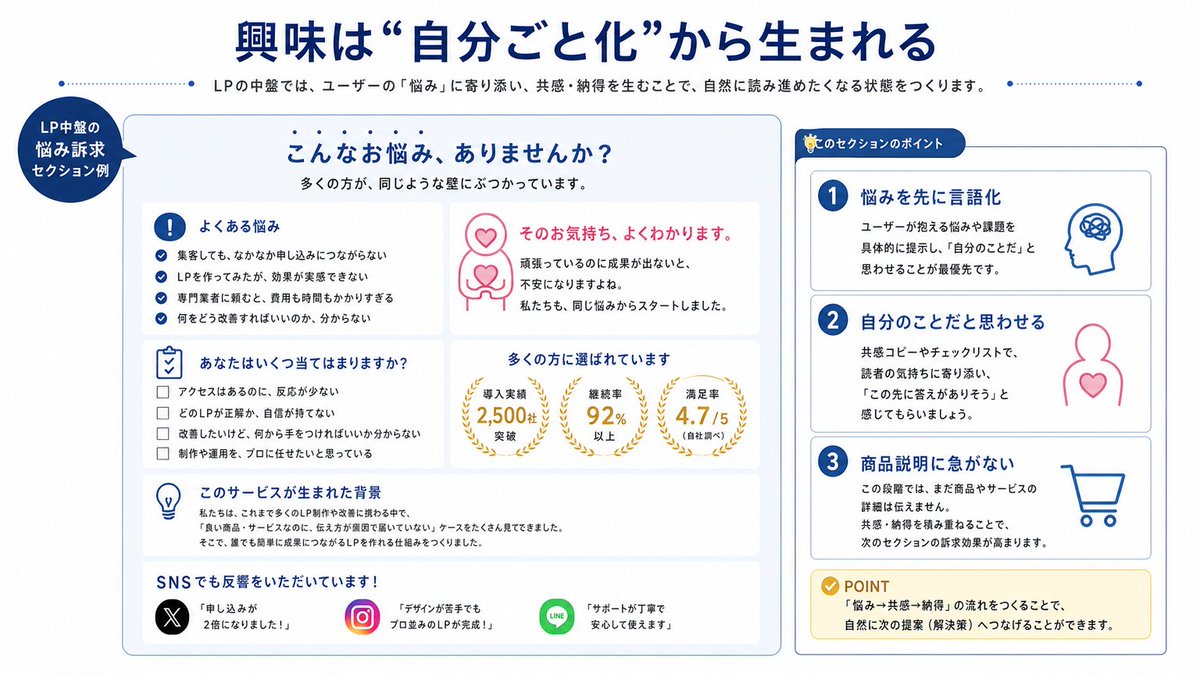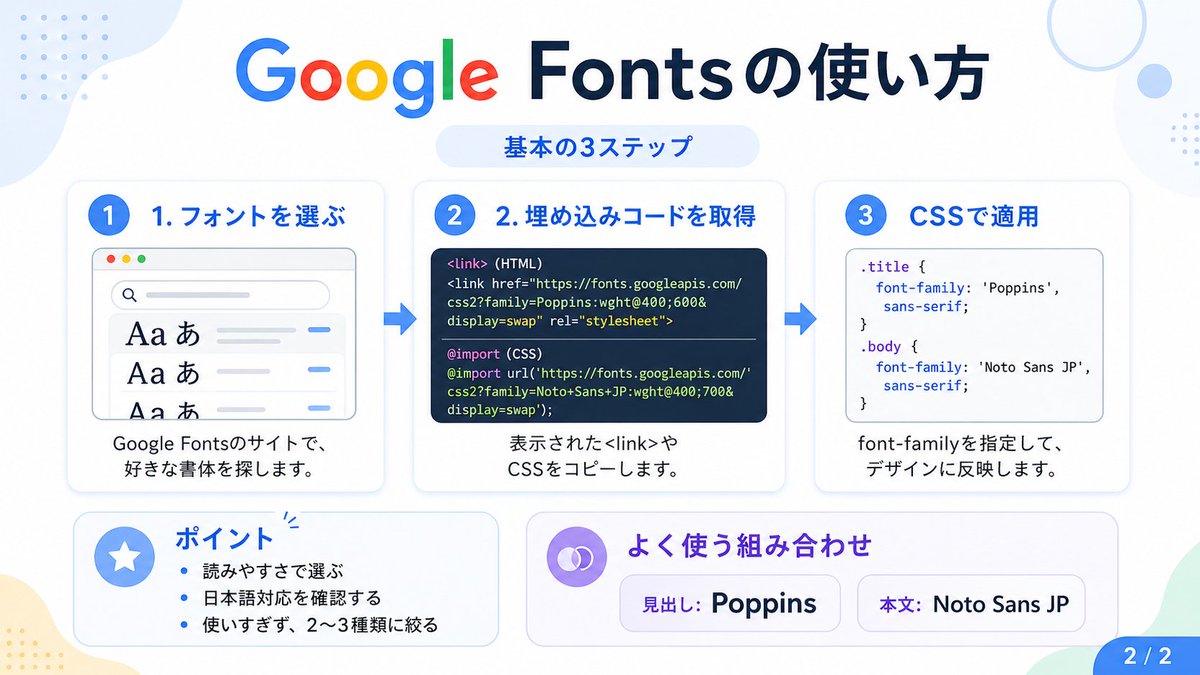
Google Fonts 日语教程信息图
此提示词可生成一张简洁的日语信息图,用于解释使用 Google Fonts 的三个基本步骤,适用于社交媒体帖子、教程和演示文稿 Slides。
- Category
- Charts & Infographics
- Model
- GPT Image 2
- Creator
- HANDBALL ZIN|AI CREATOR
- Source language
- en
- Source ID
- 16954
- Published
- Apr 28, 2026
Full prompt
{"type":"Japanese infographic","topic":"How to use Google Fonts","style":"clean modern flat design, white background, soft pastel blue and mint corner blobs, rounded cards with subtle shadows, tech tutorial aesthetic, crisp vector typography and UI illustrations","canvas":{"aspect_ratio":"16:9"},"headline":{"main":"Google Fontsの使い方","sub":"基本の3ステップ"},"layout":{"sections":[{"title":"1. フォントを選ぶ","position":"left","count":1,"labels":["1. フォントを選ぶ"],"card_style":"rounded white panel with light blue border/shadow","icon":"blue numbered circle with 1","illustration":"browser window showing a font search interface, 3 visible font preview rows with large Aa あ samples, a search bar at top, small colored window buttons, light gray interface lines and blue accent dashes","body_text":"Google Fontsのサイトで、好きな書体を探します。"},{"title":"2. 埋め込みコードを取得","position":"center","count":1,"labels":["2. 埋め込みコードを取得"],"card_style":"rounded white panel with light blue border/shadow","icon":"blue numbered circle with 2","illustration":"dark code panel with two labeled code examples separated by a thin divider","code_blocks":{"count":2,"labels":["<link> (HTML)","@import (CSS)"],"content":["<link href=\"https://fonts.googleapis.com/css2?family=Poppins:wght@400;600&display=swap\" rel=\"stylesheet\">","@import url('https://fonts.googleapis.com/css2?family=Noto+Sans+JP:wght@400;700&display=swap');"]},"body_text":"表示された<link>やCSSをコピーします。"},{"title":"3. CSSで適用","position":"right","count":1,"labels":["3. CSSで適用"],"card_style":"rounded white panel with light blue border/shadow","icon":"blue numbered circle with 3","illustration":"white code card containing CSS with two selectors and font-family rules","code_blocks":{"count":2,"labels":[".title","body"],"content":[".title { font-family: 'Poppins', sans-serif; }","body { font-family: 'Noto Sans JP', sans-serif; }"]},"body_text":"font-familyを指定して、デザインに反映します。"},{"title":"ポイント","position":"bottom-left","count":3,"labels":["読みやすさで選ぶ","日本語対応を確認する","使いすぎず、2〜3種類に絞る"],"card_style":"rounded white panel with pale blue tint","icon":"blue star in a circle","body_format":"bullet list"},{"title":"よく使う組み合わせ","position":"bottom-center-right","count":2,"labels":["見出し: Poppins","本文: Noto Sans JP"],"card_style":"rounded white panel with pale lavender tint","icon":"purple linked-rings symbol","body_format":"two pill-shaped example boxes"}],"connectors":{"count":2,"style":"large blue right-pointing arrows between the 3 top cards"},"pagination":{"text":"2 / 2","position":"bottom-right","style":"blue rounded corner tab"}},"text_language":"Japanese","color_palette":{"primary_blue":"#2f80ff","navy":"#0f2b5b","google_colors":["#4285F4","#DB4437","#F4B400","#0F9D58"],"lavender":"#8b6cff","background":"#ffffff"}}Translations
Google Fonts 日语教程信息图
en{"type":"Japanese infographic","topic":"How to use Google Fonts","style":"clean modern flat design, white background, soft pastel blue and mint corner blobs, rounded cards with subtle shadows, tech tutorial aesthetic, crisp vector typography and UI illustrations","canvas":{"aspect_ratio":"16:9"},"headline":{"main":"Google Fontsの使い方","sub":"基本の3ステップ"},"layout":{"sections":[{"title":"1. フォントを選ぶ","position":"left","count":1,"labels":["1. フォントを選ぶ"],"card_style":"rounded white panel with light blue border/shadow","icon":"blue numbered circle with 1","illustration":"browser window showing a font search interface, 3 visible font preview rows with large Aa あ samples, a search bar at top, small colored window buttons, light gray interface lines and blue accent dashes","body_text":"Google Fontsのサイトで、好きな書体を探します。"},{"title":"2. 埋め込みコードを取得","position":"center","count":1,"labels":["2. 埋め込みコードを取得"],"card_style":"rounded white panel with light blue border/shadow","icon":"blue numbered circle with 2","illustration":"dark code panel with two labeled code examples separated by a thin divider","code_blocks":{"count":2,"labels":["<link> (HTML)","@import (CSS)"],"content":["<link href=\"https://fonts.googleapis.com/css2?family=Poppins:wght@400;600&display=swap\" rel=\"stylesheet\">","@import url('https://fonts.googleapis.com/css2?family=Noto+Sans+JP:wght@400;700&display=swap');"]},"body_text":"表示された<link>やCSSをコピーします。"},{"title":"3. CSSで適用","position":"right","count":1,"labels":["3. CSSで適用"],"card_style":"rounded white panel with light blue border/shadow","icon":"blue numbered circle with 3","illustration":"white code card containing CSS with two selectors and font-family rules","code_blocks":{"count":2,"labels":[".title","body"],"content":[".title { font-family: 'Poppins', sans-serif; }","body { font-family: 'Noto Sans JP', sans-serif; }"]},"body_text":"font-familyを指定して、デザインに反映します。"},{"title":"ポイント","position":"bottom-left","count":3,"labels":["読みやすさで選ぶ","日本語対応を確認する","使いすぎず、2〜3種類に絞る"],"card_style":"rounded white panel with pale blue tint","icon":"blue star in a circle","body_format":"bullet list"},{"title":"よく使う組み合わせ","position":"bottom-center-right","count":2,"labels":["見出し: Poppins","本文: Noto Sans JP"],"card_style":"rounded white panel with pale lavender tint","icon":"purple linked-rings symbol","body_format":"two pill-shaped example boxes"}],"connectors":{"count":2,"style":"large blue right-pointing arrows between the 3 top cards"},"pagination":{"text":"2 / 2","position":"bottom-right","style":"blue rounded corner tab"}},"text_language":"Japanese","color_palette":{"primary_blue":"#2f80ff","navy":"#0f2b5b","google_colors":["#4285F4","#DB4437","#F4B400","#0F9D58"],"lavender":"#8b6cff","background":"#ffffff"}}
Google Fonts 日语教程信息图
zh-CN{"type":"日语信息图","topic":"如何使用 Google Fonts","style":"简洁现代的扁平化设计,白色背景,柔和的淡蓝色和薄荷绿角落色块,带有细微阴影的圆角卡片,科技教程美学,清晰的矢量排版和 UI 插图","canvas":{"aspect_ratio":"16:9"},"headline":{"main":"Google Fonts 的使用方法","sub":"基本 3 步骤"},"layout":{"sections":[{"title":"1. 选择字体","position":"left","count":1,"labels":["1. 选择字体"],"card_style":"带有浅蓝色边框/阴影的圆角白色面板","icon":"蓝色数字 1 圆圈","illustration":"显示字体搜索界面的浏览器窗口,3 行可见的字体预览,带有大号 Aa あ 样本,顶部有搜索栏,小型彩色窗口按钮,浅灰色界面线条和蓝色强调短划线","body_text":"在 Google Fonts 网站上,搜索你喜欢的字体。"},{"title":"2. 获取嵌入代码","position":"center","count":1,"labels":["2. 获取嵌入代码"],"card_style":"带有浅蓝色边框/阴影的圆角白色面板","icon":"蓝色数字 2 圆圈","illustration":"深色代码面板,包含两个由细分隔线隔开的带标签代码示例","code_blocks":{"count":2,"labels":["<link> (HTML)","@import (CSS)"],"content":["<link href=\"https://fonts.googleapis.com/css2?family=Poppins:wght@400;600&display=swap\" rel=\"stylesheet\">","@import url('https://fonts.googleapis.com/css2?family=Noto+Sans+JP:wght@400;700&display=swap');"]},"body_text":"复制显示的 <link> 或 CSS 代码。"},{"title":"3. 在 CSS 中应用","position":"right","count":1,"labels":["3. 在 CSS 中应用"],"card_style":"带有浅蓝色边框/阴影的圆角白色面板","icon":"蓝色数字 3 圆圈","illustration":"包含 CSS 的白色代码卡片,带有两个选择器和 font-family 规则","code_blocks":{"count":2,"labels":[".title","body"],"content":[".title { font-family: 'Poppins', sans-serif; }","body { font-family: 'Noto Sans JP', sans-serif; }"]},"body_text":"指定 font-family,将其应用到设计中。"},{"title":"要点","position":"bottom-left","count":3,"labels":["根据易读性选择","确认是否支持日语","不要过度使用,限制在 2-3 种以内"],"card_style":"带有淡蓝色调的圆角白色面板","icon":"圆圈中的蓝色星星","body_format":"项目符号列表"},{"title":"常用组合","position":"bottom-center-right","count":2,"labels":["标题: Poppins","正文: Noto Sans JP"],"card_style":"带有淡紫色调的圆角白色面板","icon":"紫色链环符号","body_format":"两个药丸形状的示例框"}],"connectors":{"count":2,"style":"3 张顶部卡片之间的大型蓝色向右箭头"},"pagination":{"text":"2 / 2","position":"bottom-right","style":"蓝色圆角标签"}},"text_language":"日语","color_palette":{"primary_blue":"#2f80ff","navy":"#0f2b5b","google_colors":["#4285F4","#DB4437","#F4B400","#0F9D58"],"lavender":"#8b6cff","background":"#ffffff"}}