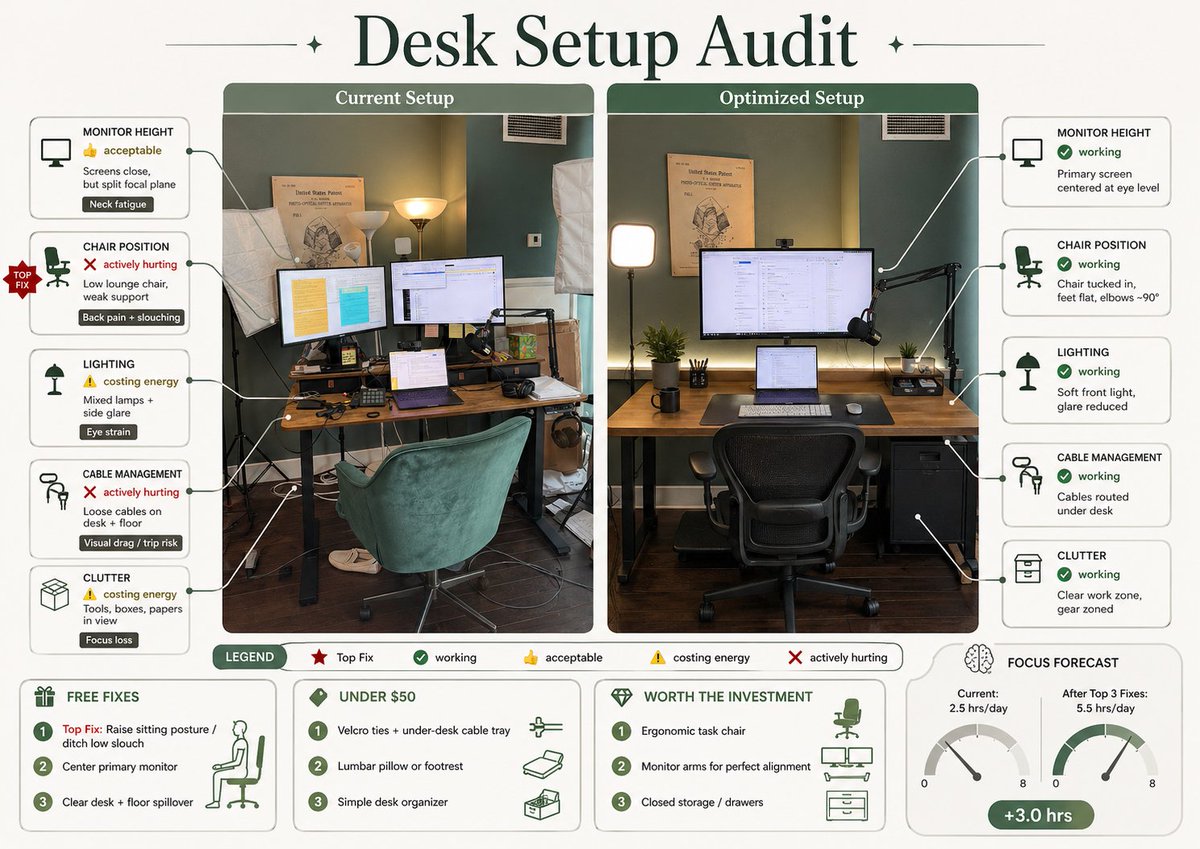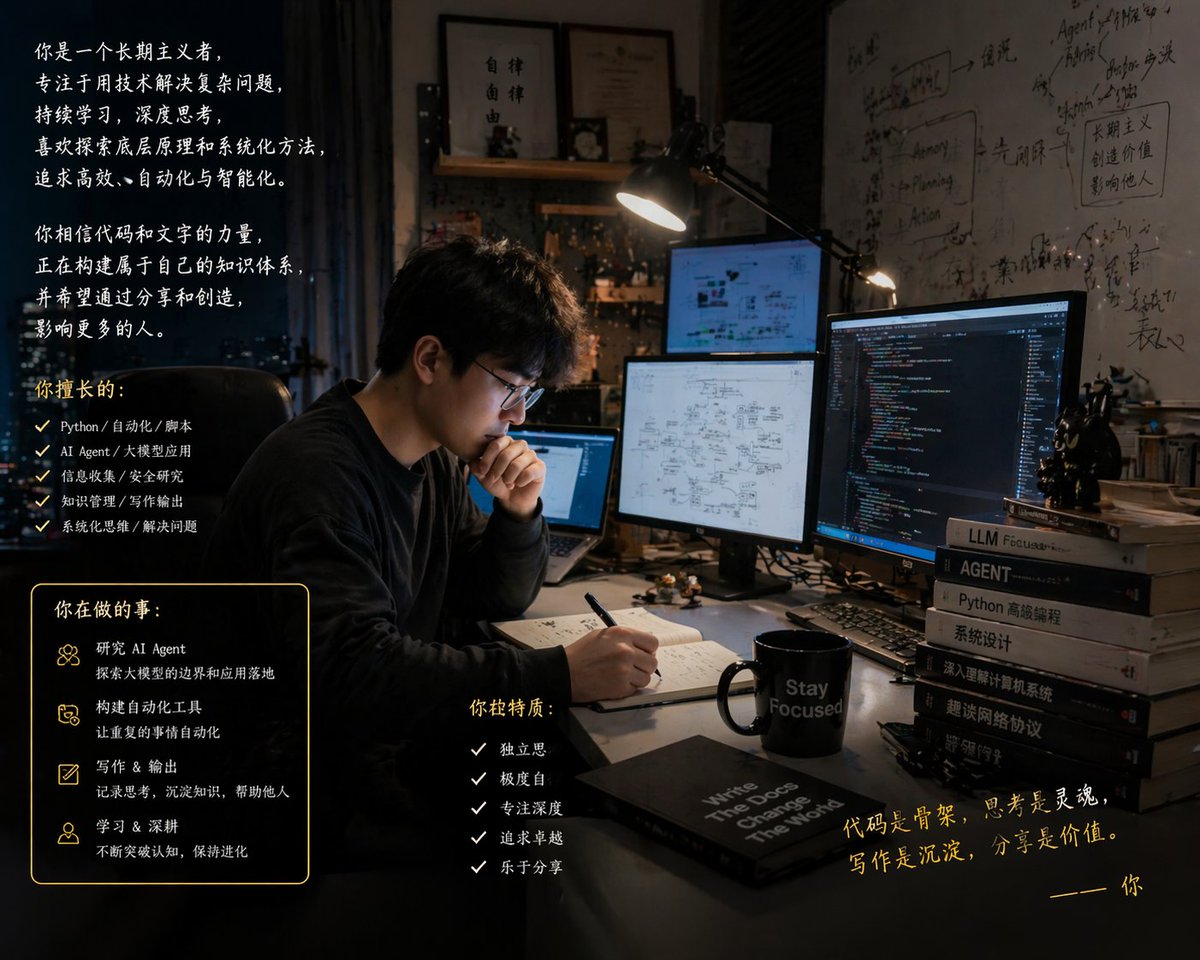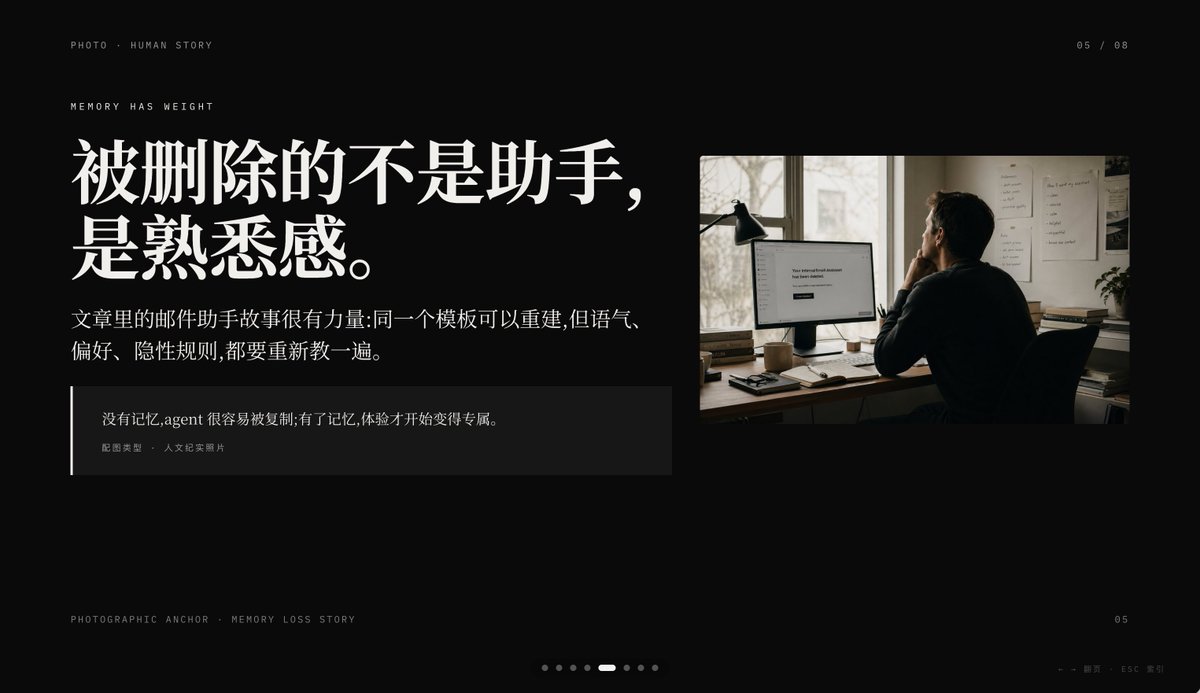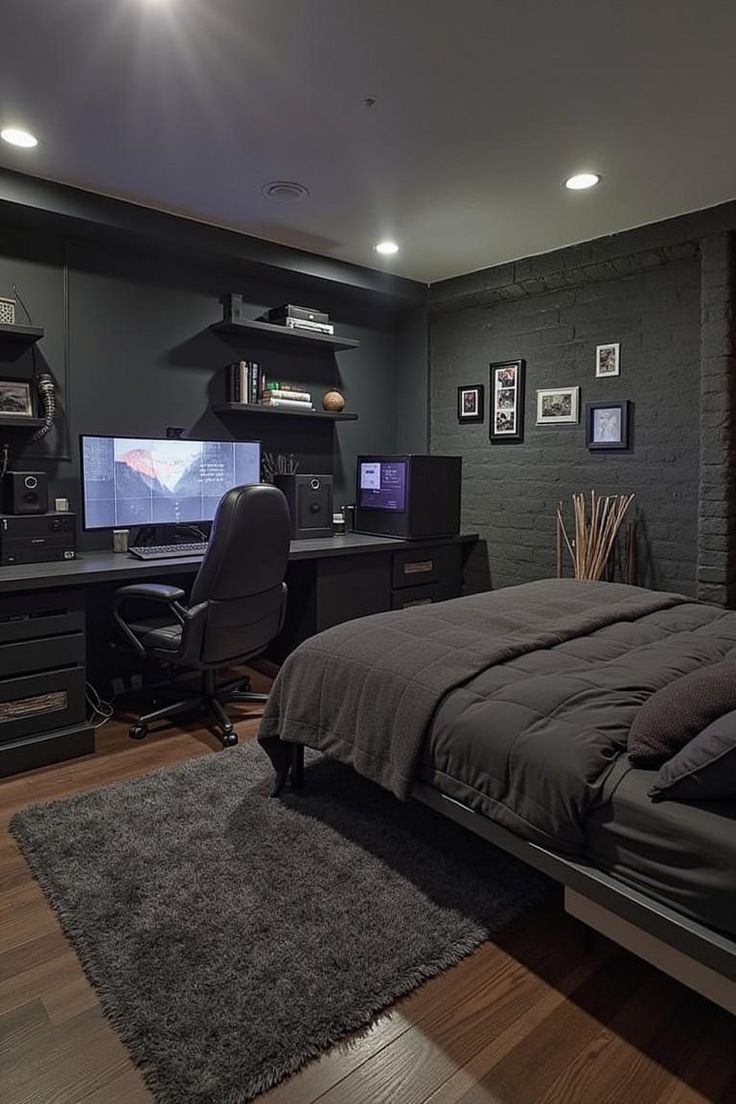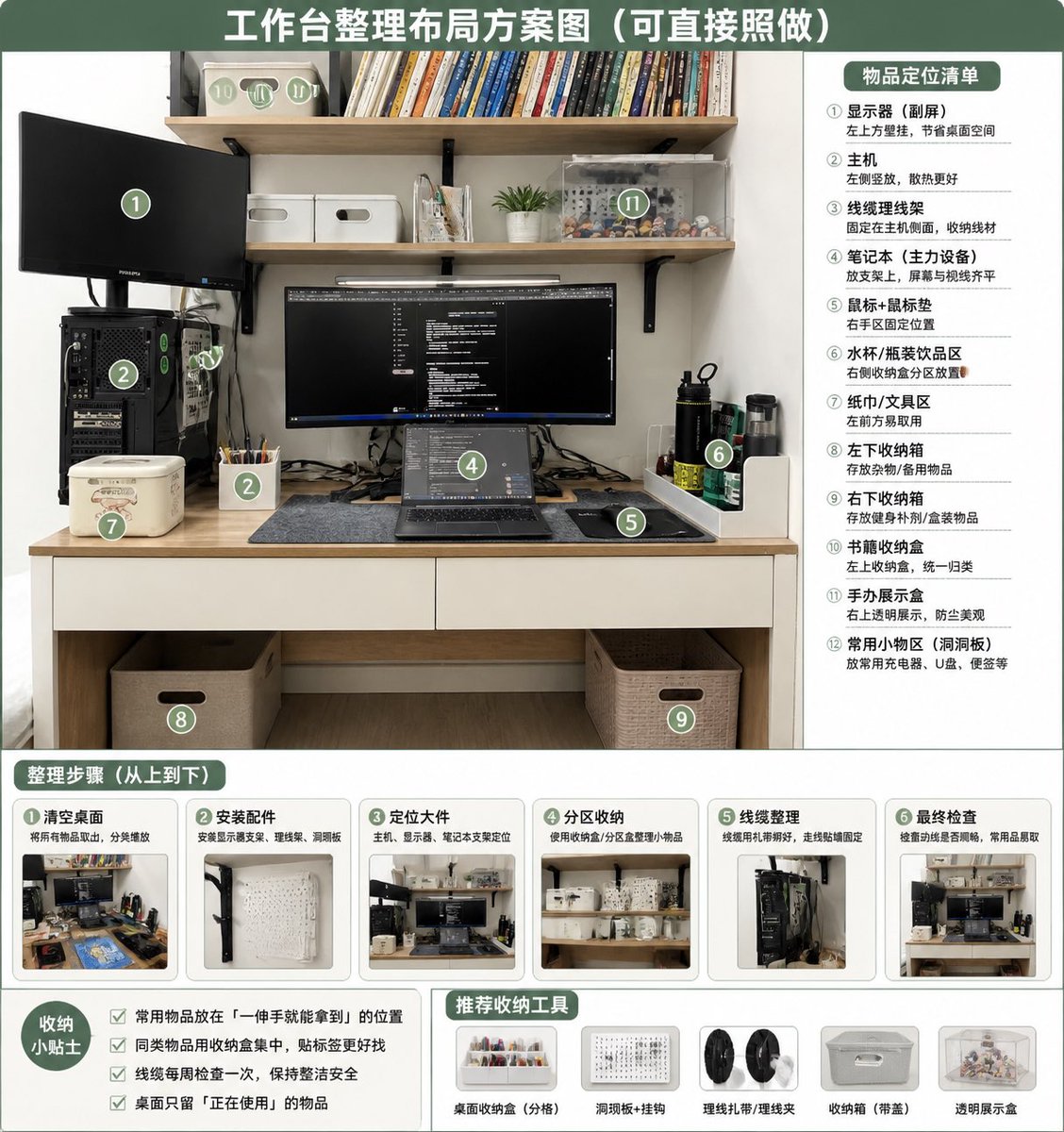
桌面整理布局信息图
将杂乱的桌面照片转化为整洁、带有编号的整理方案图,包含功能分区、整理步骤、实用小贴士及推荐收纳工具。
- Category
- Charts & Infographics
- Model
- GPT Image 2
- Creator
- 叉叉
- Source language
- en
- Source ID
- 18696
- Published
- May 6, 2026
Full prompt
Using REFERENCE_0 as the source photo, create a clean, realistic “after organization” desktop layout plan infographic. Keep the same desk, shelves, monitor/laptop setup, PC tower position, and overall room viewpoint, but tidy the workspace: route cables neatly, clear the desktop, place items into defined storage zones, add matching storage boxes/baskets, a pegboard/accessory area, pen cup, book storage box, transparent display case, and dedicated bottle/tissue/small-tool areas. Use a green-and-white instructional poster style with a large top headline: {argument name="headline text" default="工作台整理布局方案图(可直接照做)"}. Overlay 12 green circular numbered markers on the organized photo and include a right-side panel titled {argument name="right panel title" default="物品定位清单"} listing exactly 12 labeled zones: ① monitor / secondary screen, ② main PC tower, ③ cable management, ④ laptop work area, ⑤ mouse pad / mouse area, ⑥ water cup / bottle area, ⑦ tissue / tool area, ⑧ left under-desk storage box, ⑨ right under-desk storage box, ⑩ book storage box, ⑪ figure display area, ⑫ common small-items area / pegboard. Add a bottom section titled {argument name="steps title" default="整理步骤(从上到下)"} with exactly 6 step cards, each containing a small before/after-style thumbnail and short Chinese labels: ① clear desktop, ② install accessories, ③ position large items, ④ partition storage, ⑤ cable management, ⑥ final inspection. Add a bottom-left tips box titled {argument name="tips title" default="收纳小贴士"} with exactly 4 checkbox tips about putting frequently used items within one-hand reach, grouping similar items, checking cables weekly, and keeping only currently used items on the desk. Add a bottom-center/right recommendations row titled {argument name="tools title" default="推荐收纳工具"} with exactly 5 product icons: desktop organizer tray, pegboard + hooks, cable ties / cable clips, storage box with handle, transparent display box. Make the design neat, practical, bright, and directly actionable, like a home-office organization guide derived from the original photo.Translations
桌面整理布局信息图
enUsing REFERENCE_0 as the source photo, create a clean, realistic “after organization” desktop layout plan infographic. Keep the same desk, shelves, monitor/laptop setup, PC tower position, and overall room viewpoint, but tidy the workspace: route cables neatly, clear the desktop, place items into defined storage zones, add matching storage boxes/baskets, a pegboard/accessory area, pen cup, book storage box, transparent display case, and dedicated bottle/tissue/small-tool areas. Use a green-and-white instructional poster style with a large top headline: {argument name="headline text" default="工作台整理布局方案图(可直接照做)"}. Overlay 12 green circular numbered markers on the organized photo and include a right-side panel titled {argument name="right panel title" default="物品定位清单"} listing exactly 12 labeled zones: ① monitor / secondary screen, ② main PC tower, ③ cable management, ④ laptop work area, ⑤ mouse pad / mouse area, ⑥ water cup / bottle area, ⑦ tissue / tool area, ⑧ left under-desk storage box, ⑨ right under-desk storage box, ⑩ book storage box, ⑪ figure display area, ⑫ common small-items area / pegboard. Add a bottom section titled {argument name="steps title" default="整理步骤(从上到下)"} with exactly 6 step cards, each containing a small before/after-style thumbnail and short Chinese labels: ① clear desktop, ② install accessories, ③ position large items, ④ partition storage, ⑤ cable management, ⑥ final inspection. Add a bottom-left tips box titled {argument name="tips title" default="收纳小贴士"} with exactly 4 checkbox tips about putting frequently used items within one-hand reach, grouping similar items, checking cables weekly, and keeping only currently used items on the desk. Add a bottom-center/right recommendations row titled {argument name="tools title" default="推荐收纳工具"} with exactly 5 product icons: desktop organizer tray, pegboard + hooks, cable ties / cable clips, storage box with handle, transparent display box. Make the design neat, practical, bright, and directly actionable, like a home-office organization guide derived from the original photo.
桌面整理布局信息图
zh-CN以 REFERENCE_0 作为源照片,制作一张整洁、写实的“整理后”桌面布局方案信息图。保持原有的书桌、搁板、显示器/笔记本电脑设置、主机位置及整体房间视角,但需整理工作区:理顺线缆,清理桌面,将物品放入明确的收纳区,添加配套的收纳盒/篮、洞洞板/配件区、笔筒、书本收纳盒、透明展示盒以及专用的水杯/纸巾/小工具区域。采用绿白配色的教学海报风格,顶部设置大标题:{argument name="headline text" default="工作台整理布局方案图(可直接照做)"}。在整理后的照片上叠加 12 个绿色圆形编号标记,并在右侧面板添加标题 {argument name="right panel title" default="物品定位清单"},列出 12 个明确的区域:① 显示器 / 副屏,② 主机,③ 线缆管理,④ 笔记本电脑工作区,⑤ 鼠标垫 / 鼠标区,⑥ 水杯 / 水瓶区,⑦ 纸巾 / 工具区,⑧ 左侧桌下收纳盒,⑨ 右侧桌下收纳盒,⑩ 书本收纳盒,⑪ 手办展示区,⑫ 常用小物件区 / 洞洞板。底部添加标题为 {argument name="steps title" default="整理步骤(从上到下)"} 的板块,包含 6 张步骤卡片,每张卡片配有小型的整理前后对比缩略图及简短的中文标签:① 清理桌面,② 安装配件,③ 放置大件物品,④ 分区收纳,⑤ 线缆管理,⑥ 最终检查。左下角添加标题为 {argument name="tips title" default="收纳小贴士"} 的提示框,包含 4 条复选框建议:将常用物品放在单手可及处、同类物品归类放置、每周检查线缆、桌面上仅保留当前使用的物品。底部中/右侧添加标题为 {argument name="tools title" default="推荐收纳工具"} 的推荐栏,包含 5 个产品图标:桌面收纳托盘、洞洞板 + 挂钩、理线带 / 理线夹、带手柄收纳盒、透明展示盒。整体设计需整洁、实用、明亮且具备直接的可操作性,如同基于原照片生成的家庭办公整理指南。