极致缩放对比裁剪
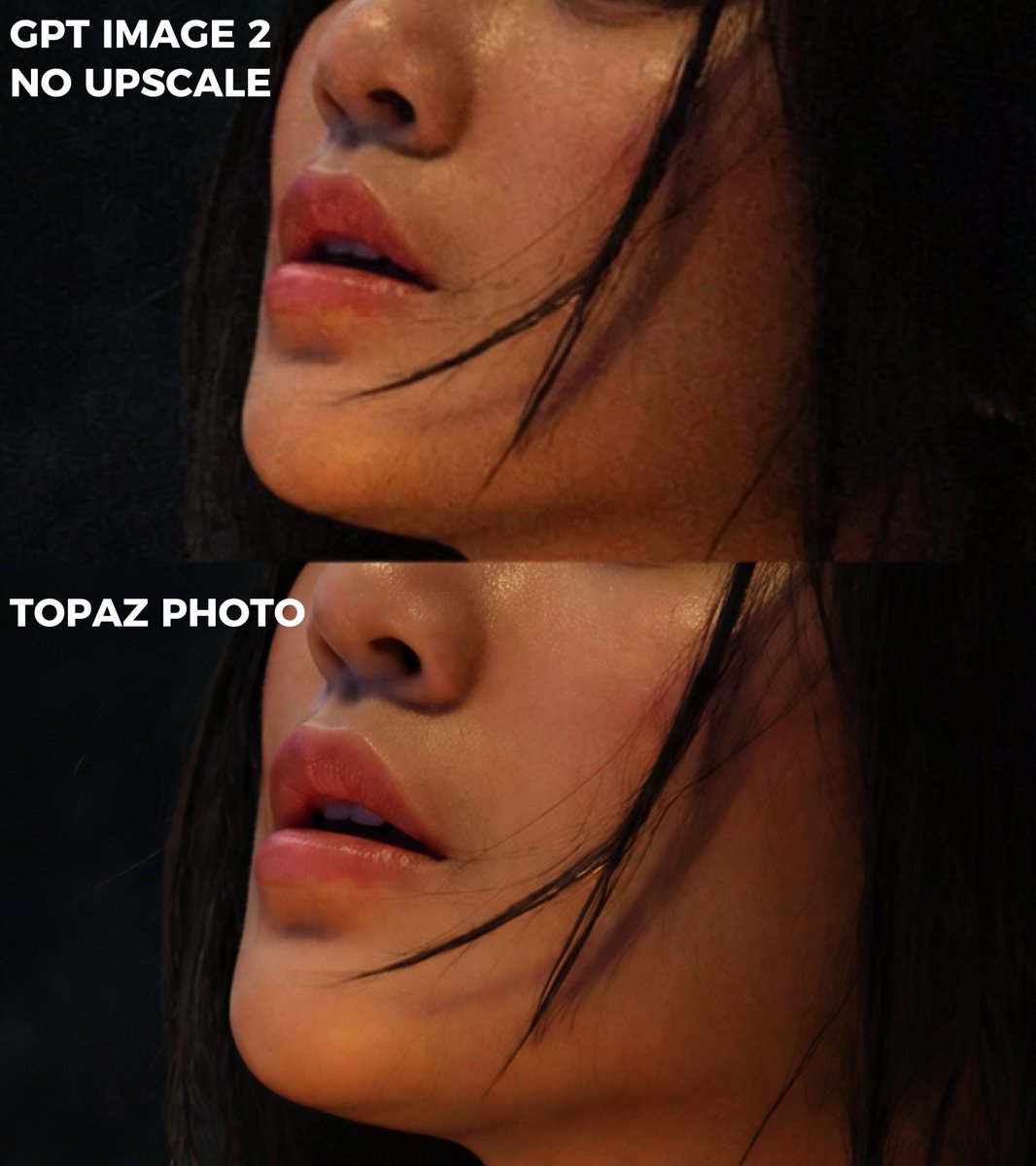
从双面板图像质量对比图中创建紧凑的特写裁剪,同时保留原始标签和匿名化主体。
- Category
- Photography & Realism
- Model
- GPT Image 2
- Creator
- DStudioproject
- Source language
- en
- Source ID
- 21715
- Published
- May 20, 2026
Full prompt
Using REFERENCE_0 as the source image, create an extreme zoom-in crop for a detail-comparison view. Keep the same two stacked comparison sections and preserve the existing anonymizing face blocks, but crop tightly around the subject’s face, hair, jawline, and neck so the facial area fills most of the frame. Leave only partial edge context from the original forest background and the left-side white labels visible. Preserve exactly 2 visible section labels: “GPT IMAGE 2 NO UPSCALE” in the upper section and “TOPAZ PHOTO” in the lower section. Maintain the dark cinematic lighting, original colors, and comparison-divider structure; do not add new objects, new text, or change the subject.
Translations
极致缩放对比裁剪
enUsing REFERENCE_0 as the source image, create an extreme zoom-in crop for a detail-comparison view. Keep the same two stacked comparison sections and preserve the existing anonymizing face blocks, but crop tightly around the subject’s face, hair, jawline, and neck so the facial area fills most of the frame. Leave only partial edge context from the original forest background and the left-side white labels visible. Preserve exactly 2 visible section labels: “GPT IMAGE 2 NO UPSCALE” in the upper section and “TOPAZ PHOTO” in the lower section. Maintain the dark cinematic lighting, original colors, and comparison-divider structure; do not add new objects, new text, or change the subject.
极致缩放对比裁剪
zh-CN以 REFERENCE_0 作为源图像,为细节对比视图创建极致缩放裁剪。保留相同的两个堆叠对比部分,并保留现有的面部匿名遮罩,但围绕主体的脸部、头发、下颌线和颈部进行紧凑裁剪,使面部区域填满大部分画面。仅保留原始森林背景的部分边缘背景和左侧白色标签。精确保留 2 个可见的分区标签:上方的 “GPT IMAGE 2 NO UPSCALE” 和下方的 “TOPAZ PHOTO”。保持深邃的电影级光影、原始色彩和对比分割结构;请勿添加新对象、新文本或更改主体。