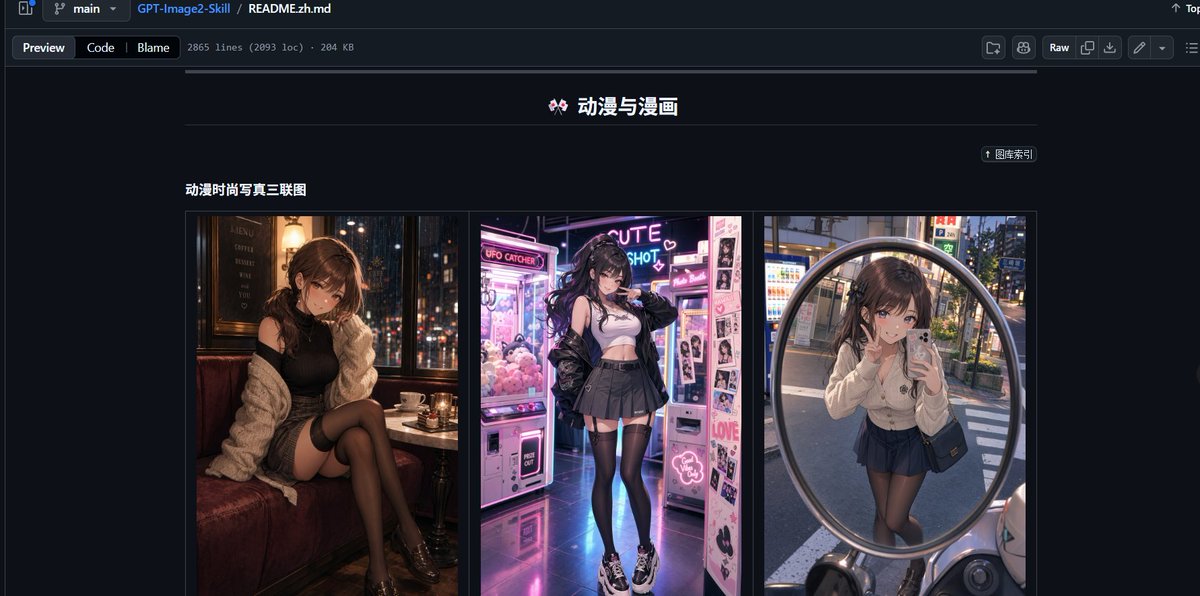
GitHub README 动漫图库截图
生成一张深色模式的 GitHub README 截图,展示包含三个时尚肖像缩略图的中文动漫与漫画提示词图库板块。
- Category
- Charts & Infographics
- Model
- GPT Image 2
- Creator
- Heliocore.C6
- Source language
- en
- Source ID
- 23217
- Published
- May 29, 2026
Full prompt
Goal: Create a realistic desktop browser screenshot of a GitHub repository README page in dark mode, showcasing an image-prompt collection. The page should look like GitHub’s file preview interface, with the repository path and README file visible at the top.

Canvas: Wide 16:9 screenshot, approximately 1200×565 px, dark navy/black GitHub UI, sharp interface details, no browser address bar.

Top interface: Show a GitHub-style header and breadcrumb bar with branch selector “main”, repository name “GPT-Image2-Skill”, and file path “README.zh.md”. Under it, include tabs/buttons “Preview”, “Code”, and “Blame”, plus small metadata text reading approximately “2865 lines (2093 loc) · 204 KB”. On the right side include typical GitHub controls such as “Raw” and small icon buttons.

Main README content: Center the content column on a dark background. At the top of the visible README section, place a centered Chinese title with a small decorative emoji: “🎀 动漫与漫画”. Beneath it, draw a thin horizontal divider line. On the upper right of the content area, include a small pill-shaped link button labeled “↑ 图库索引”.

Section: Below the divider, add a bold subsection title on the left: “动漫时尚写真三联图”. Under this title, create one bordered gallery row containing exactly 3 vertical image panels placed side by side with narrow gaps:
1. Left panel: anime-fashion style portrait of a young woman sitting in a cozy dim café booth at night, warm lamps, city lights outside the window, black outfit, cream cardigan, black stockings, moody cinematic lighting; face intentionally blurred or pixelated.
2. Center panel: anime-fashion style full-body portrait of a young woman in a neon arcade or photo booth area, pink and purple glowing claw machines and sticker photo machines, white crop top, black jacket, pleated skirt, thigh-high stockings, chunky sneakers; face intentionally blurred or pixelated.
3. Right panel: anime-fashion style mirror selfie reflected in a large round convex street mirror in an urban Japanese street, vending machines and evening city background, cream cardigan, dark pleated skirt, black stockings, small shoulder bag; face intentionally blurred or pixelated.

Visual style: Highly realistic GitHub dark-mode screenshot combined with vivid anime-fashion thumbnail imagery. Use crisp UI typography, thin borders, muted gray separators, and a dark navy page background. Keep the thumbnails colorful and glossy while the surrounding GitHub interface remains subdued.

Text constraints: Preserve the visible Chinese labels exactly where shown: “动漫与漫画”, “图库索引”, and “动漫时尚写真三联图”. Do not add extra README sections, comments, watermarks, or unrelated text. The final image should resemble a social media screenshot demonstrating a repository’s built-in prompt presets.
Translations
GitHub README 动漫图库截图
enGoal: Create a realistic desktop browser screenshot of a GitHub repository README page in dark mode, showcasing an image-prompt collection. The page should look like GitHub’s file preview interface, with the repository path and README file visible at the top. Canvas: Wide 16:9 screenshot, approximately 1200×565 px, dark navy/black GitHub UI, sharp interface details, no browser address bar. Top interface: Show a GitHub-style header and breadcrumb bar with branch selector “main”, repository name “GPT-Image2-Skill”, and file path “README.zh.md”. Under it, include tabs/buttons “Preview”, “Code”, and “Blame”, plus small metadata text reading approximately “2865 lines (2093 loc) · 204 KB”. On the right side include typical GitHub controls such as “Raw” and small icon buttons. Main README content: Center the content column on a dark background. At the top of the visible README section, place a centered Chinese title with a small decorative emoji: “🎀 动漫与漫画”. Beneath it, draw a thin horizontal divider line. On the upper right of the content area, include a small pill-shaped link button labeled “↑ 图库索引”. Section: Below the divider, add a bold subsection title on the left: “动漫时尚写真三联图”. Under this title, create one bordered gallery row containing exactly 3 vertical image panels placed side by side with narrow gaps: 1. Left panel: anime-fashion style portrait of a young woman sitting in a cozy dim café booth at night, warm lamps, city lights outside the window, black outfit, cream cardigan, black stockings, moody cinematic lighting; face intentionally blurred or pixelated. 2. Center panel: anime-fashion style full-body portrait of a young woman in a neon arcade or photo booth area, pink and purple glowing claw machines and sticker photo machines, white crop top, black jacket, pleated skirt, thigh-high stockings, chunky sneakers; face intentionally blurred or pixelated. 3. Right panel: anime-fashion style mirror selfie reflected in a large round convex street mirror in an urban Japanese street, vending machines and evening city background, cream cardigan, dark pleated skirt, black stockings, small shoulder bag; face intentionally blurred or pixelated. Visual style: Highly realistic GitHub dark-mode screenshot combined with vivid anime-fashion thumbnail imagery. Use crisp UI typography, thin borders, muted gray separators, and a dark navy page background. Keep the thumbnails colorful and glossy while the surrounding GitHub interface remains subdued. Text constraints: Preserve the visible Chinese labels exactly where shown: “动漫与漫画”, “图库索引”, and “动漫时尚写真三联图”. Do not add extra README sections, comments, watermarks, or unrelated text. The final image should resemble a social media screenshot demonstrating a repository’s built-in prompt presets.
GitHub README 动漫图库截图
zh-CN目标:创建一张逼真的 GitHub 仓库 README 页面深色模式桌面浏览器截图,展示一个图像提示词集合。页面应呈现 GitHub 的文件预览界面外观,顶部显示仓库路径和 README 文件。 画布:宽屏 16:9 截图,约 1200×565 像素,深海军蓝/黑色 GitHub UI,界面细节清晰,不含浏览器地址栏。 顶部界面:显示 GitHub 风格的页眉和面包屑导航栏,包含分支选择器“main”、仓库名称“GPT-Image2-Skill”以及文件路径“README.zh.md”。下方包含“Preview”、“Code”和“Blame”标签/按钮,以及一行小的元数据文本,内容约为“2865 lines (2093 loc) · 204 KB”。右侧包含典型的 GitHub 控件,如“Raw”及小型图标按钮。 README 主要内容:将内容列居中放置在深色背景上。在可见 README 部分的顶部,放置一个居中的中文标题,并配以装饰性小表情:“🎀 动漫与漫画”。下方绘制一条细水平分割线。在内容区域的右上角,包含一个药丸形状的小链接按钮,标注为“↑ 图库索引”。 板块:在分割线下方,左侧添加一个加粗的子标题:“动漫时尚写真三联图”。在此标题下方,创建一个带边框的图库行,包含 3 个并排且间隙狭窄的垂直图像面板: 1. 左侧面板:动漫时尚风格肖像,一位年轻女性坐在夜晚舒适昏暗的咖啡馆卡座中,暖色灯光,窗外城市灯火,黑色套装,奶油色开衫,黑色长筒袜,情绪化电影感光效;面部刻意模糊或像素化处理。 2. 中间面板:动漫时尚风格全身肖像,一位年轻女性在霓虹灯闪烁的游乐厅或大头贴机区域,粉色和紫色发光的抓娃娃机与贴纸照相机,白色短款上衣,黑色夹克,百褶裙,过膝长筒袜,厚底运动鞋;面部刻意模糊或像素化处理。 3. 右侧面板:动漫时尚风格镜面自拍,映照在日本城市街道的大型圆形凸面镜中,自动贩卖机与傍晚城市背景,奶油色开衫,深色百褶裙,黑色长筒袜,小挎包;面部刻意模糊或像素化处理。 视觉风格:高度逼真的 GitHub 深色模式截图与生动的动漫时尚缩略图相结合。使用清晰的 UI 排版、细边框、柔和的灰色分隔线以及深海军蓝页面背景。保持缩略图色彩丰富且具有光泽感,同时周围的 GitHub 界面保持低调。 文本限制:准确保留可见的中文标签:“动漫与漫画”、“图库索引”和“动漫时尚写真三联图”。不要添加额外的 README 板块、评论、水印或无关文本。最终图像应类似于展示仓库内置提示词预设的社交媒体截图。