Codex 拼图科技横幅
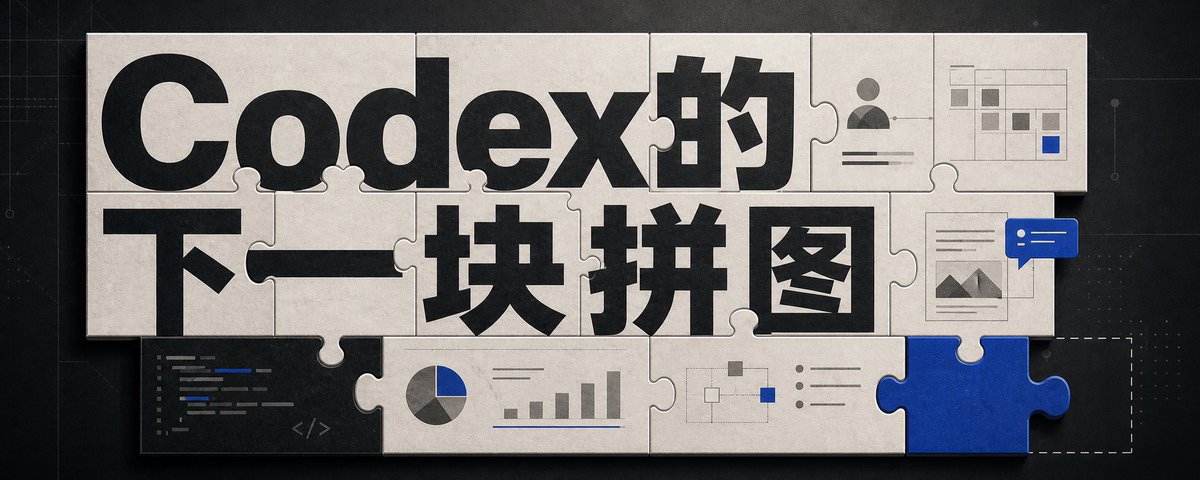
一张采用互锁拼图块、醒目中文标题排版以及小型 AI 工作流 UI 图案的宽幅科技编辑横幅,旨在阐述 Codex 是下一块缺失的拼图。
- Category
- Charts & Infographics
- Model
- GPT Image 2
- Creator
- 向阳乔木
- Source language
- en
- Source ID
- 23835
- Published
- Jun 2, 2026
Full prompt
Goal: Create a wide editorial hero banner about {argument name="headline topic" default="Codex的下一块拼图"}, showing a jigsaw-puzzle metaphor for AI coding, visual design, and missing capabilities.

Canvas: Ultra-wide horizontal banner, approximately 5:2 aspect ratio, dark charcoal technical background with faint grid lines, subtle blueprint marks, tiny dots, and thin circuit-like guide lines. Center the artwork with a large off-white paper/cardboard jigsaw puzzle assembly casting soft shadows.

Layout: Use exactly 15 visible puzzle elements: 13 off-white connected puzzle pieces forming a rectangular mosaic, 1 vivid cobalt-blue puzzle piece inserted at the bottom-right edge, and 1 dashed-outline empty missing-piece slot immediately to the right of the blue piece. The puzzle should look physical, with rounded tabs and sockets, slight bevels, paper texture, seams, grime, and realistic shadowing.

Text content: The main typography dominates the puzzle surface. Use huge bold black sans-serif Chinese type reading {argument name="main title text" default="Codex的"} across the top row and {argument name="subtitle text" default="下一块拼图"} across the middle row. Make the letters oversized, cropped slightly by puzzle seams, and integrated into the tile layout. Keep the text crisp and high contrast.

Visible graphic elements: Include exactly 7 small embedded UI/diagram motifs on puzzle pieces: 1 dark code editor panel in the lower-left with short colored code lines and a small </> symbol; 1 pie chart combined with a small bar chart along the lower middle; 1 simple node-and-connector flow diagram near the lower center-right; 1 bullet-list panel with three round bullets to the right of the flow diagram; 1 user profile card in the upper-right with avatar icon and horizontal text lines; 1 small spreadsheet/dashboard grid in the top-right corner with gray cells and one blue highlighted cell; 1 document/image card on the right side with small mountain thumbnail lines, overlapped by a blue chat bubble containing two white dots and two white horizontal lines.

Visual style: Premium tech editorial illustration, cinematic lighting, tactile paper puzzle texture, muted monochrome palette of black, warm off-white, gray, and accent cobalt blue {argument name="accent color" default="cobalt blue"}. Add subtle scratches, dust, and paper grain. Use realistic shadows between pieces, but keep the whole image clean and readable.

Constraints: No people, no extra logos, no watermark, no random English words beyond tiny unreadable code strokes, and no additional large text. The blue puzzle piece should feel like the key missing component that completes the system, while the dashed empty slot hints that another piece is still absent.
Translations
Codex 拼图科技横幅
enGoal: Create a wide editorial hero banner about {argument name="headline topic" default="Codex的下一块拼图"}, showing a jigsaw-puzzle metaphor for AI coding, visual design, and missing capabilities. Canvas: Ultra-wide horizontal banner, approximately 5:2 aspect ratio, dark charcoal technical background with faint grid lines, subtle blueprint marks, tiny dots, and thin circuit-like guide lines. Center the artwork with a large off-white paper/cardboard jigsaw puzzle assembly casting soft shadows. Layout: Use exactly 15 visible puzzle elements: 13 off-white connected puzzle pieces forming a rectangular mosaic, 1 vivid cobalt-blue puzzle piece inserted at the bottom-right edge, and 1 dashed-outline empty missing-piece slot immediately to the right of the blue piece. The puzzle should look physical, with rounded tabs and sockets, slight bevels, paper texture, seams, grime, and realistic shadowing. Text content: The main typography dominates the puzzle surface. Use huge bold black sans-serif Chinese type reading {argument name="main title text" default="Codex的"} across the top row and {argument name="subtitle text" default="下一块拼图"} across the middle row. Make the letters oversized, cropped slightly by puzzle seams, and integrated into the tile layout. Keep the text crisp and high contrast. Visible graphic elements: Include exactly 7 small embedded UI/diagram motifs on puzzle pieces: 1 dark code editor panel in the lower-left with short colored code lines and a small </> symbol; 1 pie chart combined with a small bar chart along the lower middle; 1 simple node-and-connector flow diagram near the lower center-right; 1 bullet-list panel with three round bullets to the right of the flow diagram; 1 user profile card in the upper-right with avatar icon and horizontal text lines; 1 small spreadsheet/dashboard grid in the top-right corner with gray cells and one blue highlighted cell; 1 document/image card on the right side with small mountain thumbnail lines, overlapped by a blue chat bubble containing two white dots and two white horizontal lines. Visual style: Premium tech editorial illustration, cinematic lighting, tactile paper puzzle texture, muted monochrome palette of black, warm off-white, gray, and accent cobalt blue {argument name="accent color" default="cobalt blue"}. Add subtle scratches, dust, and paper grain. Use realistic shadows between pieces, but keep the whole image clean and readable. Constraints: No people, no extra logos, no watermark, no random English words beyond tiny unreadable code strokes, and no additional large text. The blue puzzle piece should feel like the key missing component that completes the system, while the dashed empty slot hints that another piece is still absent.
Codex 拼图科技横幅
zh-CN目标:创建一个关于 {argument name="headline topic" default="Codex 的下一块拼图"} 的宽幅编辑主图横幅,通过拼图隐喻展示 AI 编码、视觉设计以及缺失的功能。 画布:超宽水平横幅,比例约为 5:2,深炭灰色科技背景,带有淡淡的网格线、微妙的蓝图标记、微小的点阵和纤细的电路状引导线。画面中心放置一个巨大的灰白色纸质/纸板拼图组合,投射出柔和的阴影。 布局:使用 15 个可见的拼图元素:13 个灰白色连接的拼图块组成矩形马赛克,1 个鲜艳的钴蓝色拼图块插入右下边缘,以及 1 个位于蓝色拼图块右侧的虚线轮廓空缺位。拼图应具有物理质感,带有圆形的凸起和凹槽、轻微的斜角、纸张纹理、接缝、污垢以及逼真的阴影。 文本内容:主要排版占据拼图表面。在顶行使用巨大的粗体黑色无衬线中文字体书写 {argument name="main title text" default="Codex 的"},在中间行书写 {argument name="subtitle text" default="下一块拼图"}。字母应超大,被拼图接缝轻微切割,并融入瓷砖布局中。保持文字清晰且对比度高。 可见图形元素:在拼图块上嵌入 7 个小型 UI/图表图案:左下角 1 个深色代码编辑器面板,带有简短的彩色代码行和一个小的 </> 符号;下部中间 1 个饼图与小条形图组合;右下中心附近 1 个简单的节点与连接器流程图;流程图右侧 1 个带有三个圆点的项目符号列表面板;右上角 1 个带有头像图标和水平文本行的用户资料卡;右上角 1 个带有灰色单元格和一个蓝色高亮单元格的小型电子表格/仪表盘网格;右侧 1 个带有小山脉缩略图线条的文档/图像卡片,上方覆盖一个包含两个白点和两条白色水平线的蓝色聊天气泡。 视觉风格:高端科技编辑插画,电影级光效,触感纸质拼图纹理,黑色、暖灰白色、灰色以及强调色钴蓝色 {argument name="accent color" default="钴蓝色"} 的柔和单色调色板。添加微妙的划痕、灰尘和纸张颗粒感。在拼图块之间使用逼真的阴影,但保持整体图像整洁易读。 约束:没有人像,没有多余的 Logo,没有水印,除了微小不可读的代码笔触外没有随机的英文字符,也没有额外的大段文字。蓝色拼图块应给人一种完成系统的关键缺失组件的感觉,而虚线空缺位则暗示仍有另一块拼图缺失。