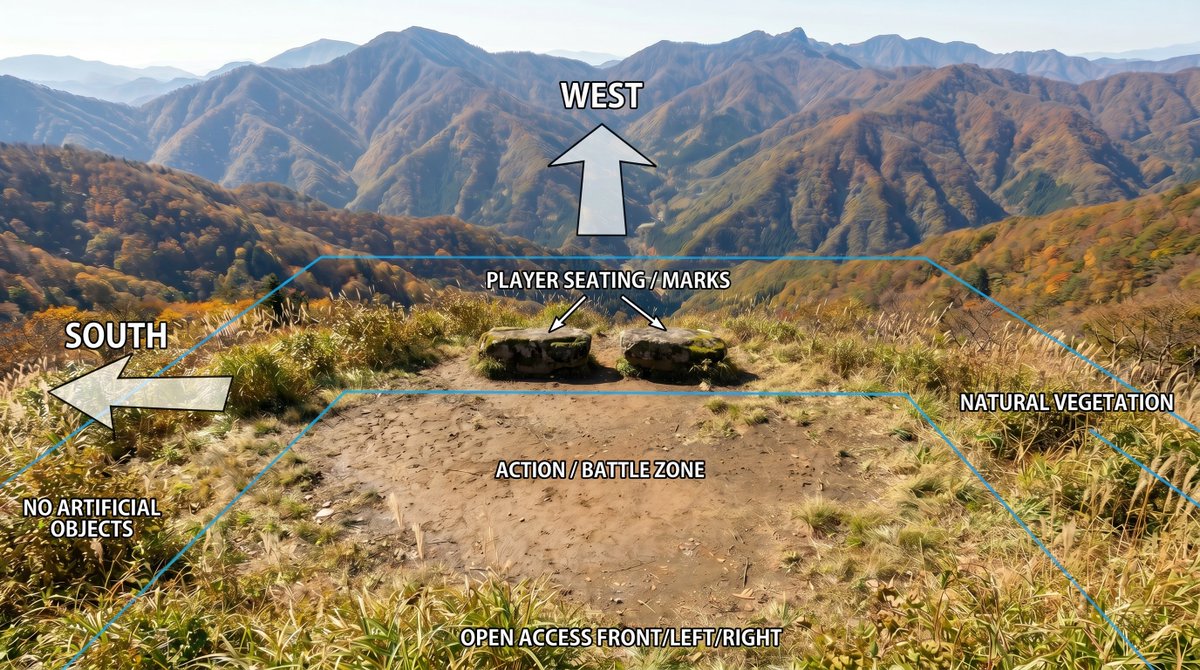
山地位置标注示意图
在参考风景照片上创建清晰的规划叠加图,同时保持原始场景的质量。
- Category
- Charts & Infographics
- Model
- GPT Image 2
- Creator
- Jet Inoue|井上ジェット|🎞️AI監督・アニメ&実写
- Source language
- en
- Source ID
- 24010
- Published
- Jun 3, 2026
Full prompt
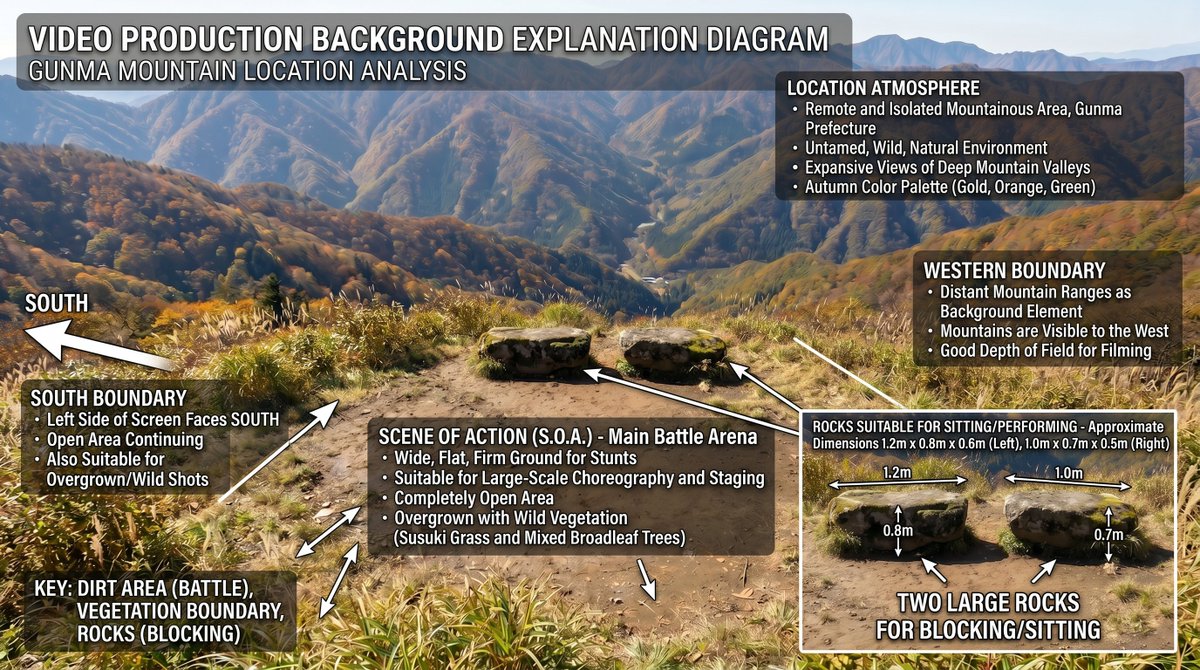
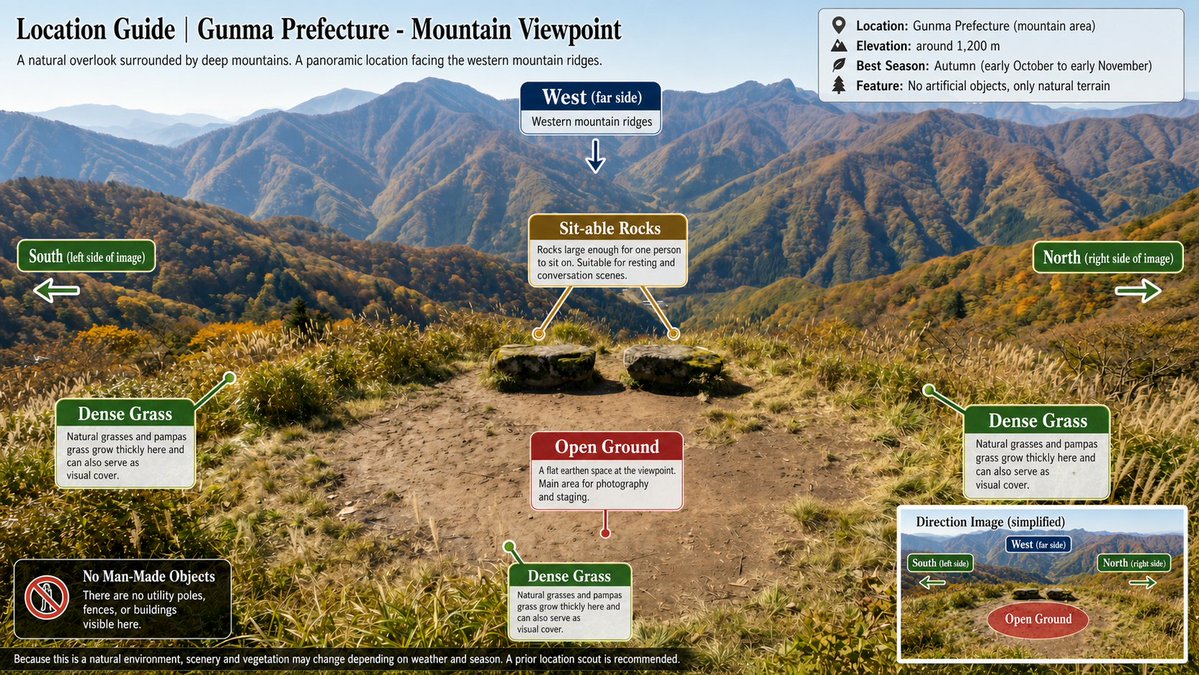
Using REFERENCE_0 as the base image, create an annotated location-planning diagram without altering or degrading the original mountain landscape photo. Keep the scenery, colors, detail, composition, vegetation, dirt clearing, rocks, and distant mountains as close to the reference as possible; only add clean overlay graphics and labels.

Add exactly 7 bold white uppercase labels with black outline/drop shadow: {argument name="west label" default="WEST"} at the upper center, {argument name="south label" default="SOUTH"} on the left, {argument name="seating label" default="PLAYER SEATING / MARKS"} above the two rocks, {argument name="zone label" default="ACTION / BATTLE ZONE"} centered on the dirt clearing, {argument name="front access label" default="OPEN ACCESS FRONT/LEFT/RIGHT"} along the bottom edge, plus "NO ARTIFICIAL OBJECTS" near the lower-left vegetation and "NATURAL VEGETATION" on the right side.

Add exactly 4 semi-transparent white arrows with black outlines: one large upward arrow under the WEST label, one large left-pointing arrow beside the SOUTH label, and two small diagonal arrows from the seating label pointing to the two stone seats/marks. Add thin cyan perspective guide lines outlining the usable area: a large trapezoid/field boundary following the clearing and vegetation edges, with a smaller inner trapezoid around the action/battle zone. Make the overlay look like a clear outdoor scene breakdown diagram, while preserving the original photographic quality and avoiding any extra objects, people, buildings, icons, or new scenery.
Translations
山地位置标注示意图
enUsing REFERENCE_0 as the base image, create an annotated location-planning diagram without altering or degrading the original mountain landscape photo. Keep the scenery, colors, detail, composition, vegetation, dirt clearing, rocks, and distant mountains as close to the reference as possible; only add clean overlay graphics and labels. Add exactly 7 bold white uppercase labels with black outline/drop shadow: {argument name="west label" default="WEST"} at the upper center, {argument name="south label" default="SOUTH"} on the left, {argument name="seating label" default="PLAYER SEATING / MARKS"} above the two rocks, {argument name="zone label" default="ACTION / BATTLE ZONE"} centered on the dirt clearing, {argument name="front access label" default="OPEN ACCESS FRONT/LEFT/RIGHT"} along the bottom edge, plus "NO ARTIFICIAL OBJECTS" near the lower-left vegetation and "NATURAL VEGETATION" on the right side. Add exactly 4 semi-transparent white arrows with black outlines: one large upward arrow under the WEST label, one large left-pointing arrow beside the SOUTH label, and two small diagonal arrows from the seating label pointing to the two stone seats/marks. Add thin cyan perspective guide lines outlining the usable area: a large trapezoid/field boundary following the clearing and vegetation edges, with a smaller inner trapezoid around the action/battle zone. Make the overlay look like a clear outdoor scene breakdown diagram, while preserving the original photographic quality and avoiding any extra objects, people, buildings, icons, or new scenery.
山地位置标注示意图
zh-CN以 REFERENCE_0 作为底图,创建一张带标注的位置规划示意图,且不得更改或降低原始山地风景照片的质量。保持风景、色彩、细节、构图、植被、空地、岩石以及远山与参考图尽可能一致;仅添加清晰的叠加图形和标签。 添加 7 个带有黑色轮廓/投影的粗体白色大写标签:在上方中央添加 {argument name="west label" default="WEST"},左侧添加 {argument name="south label" default="SOUTH"},两块岩石上方添加 {argument name="seating label" default="PLAYER SEATING / MARKS"},空地中央添加 {argument name="zone label" default="ACTION / BATTLE ZONE"},底部边缘添加 {argument name="front access label" default="OPEN ACCESS FRONT/LEFT/RIGHT"},并在左下角植被附近添加 "NO ARTIFICIAL OBJECTS",右侧添加 "NATURAL VEGETATION"。 添加 4 个带有黑色轮廓的半透明白色箭头:WEST 标签下方添加一个大向上箭头,SOUTH 标签旁添加一个大向左箭头,从 seating 标签引出两个指向两块石座/标记的小斜向箭头。添加青色细线作为透视引导线以勾勒可用区域:沿着空地和植被边缘绘制一个大梯形/场地边界,并在 action/battle zone 周围绘制一个较小的内部梯形。使叠加层看起来像清晰的户外场景分析图,同时保持原始照片的质量,并避免添加任何额外的物体、人物、建筑、图标或新景观。