自拍转漫画风格分屏样机
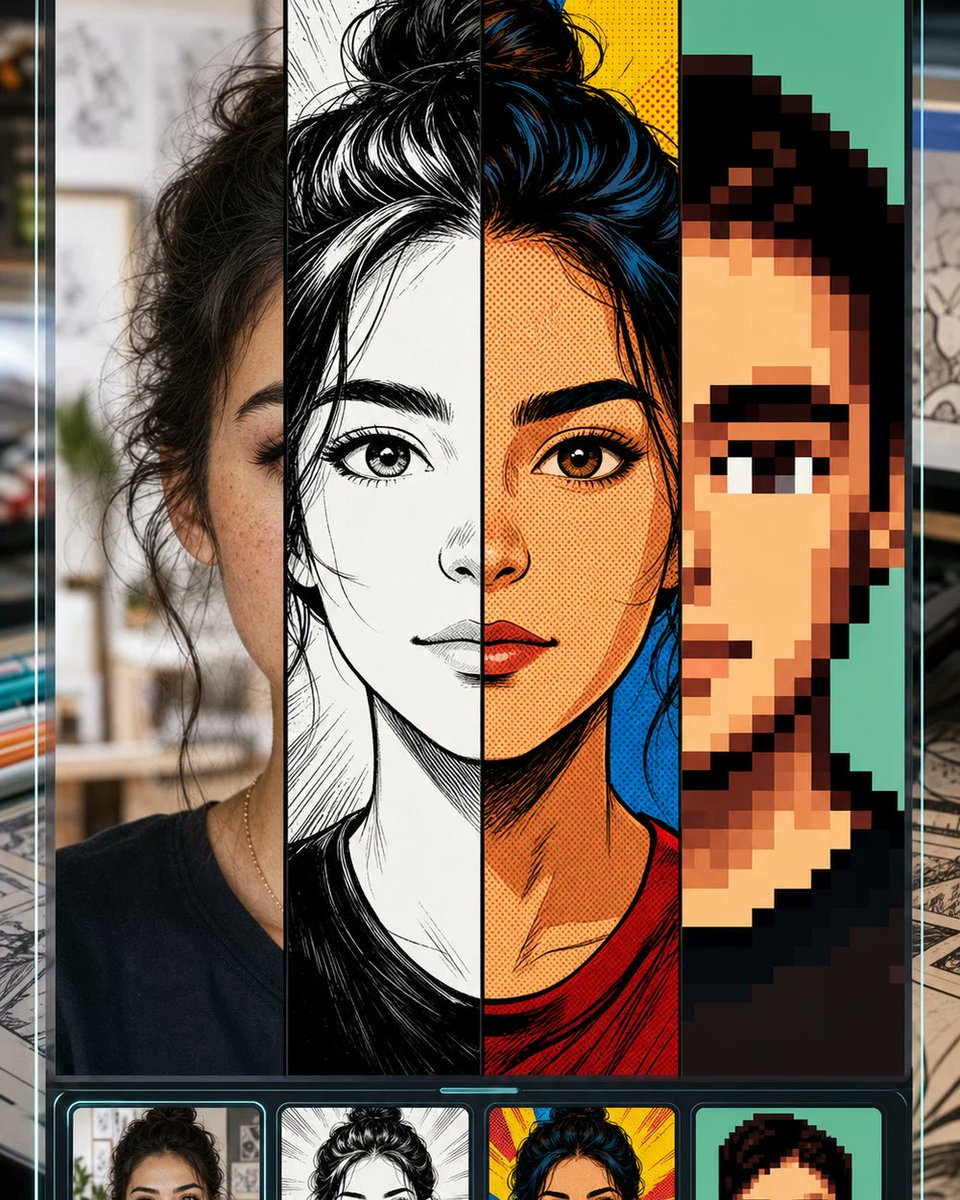
一个垂直移动端 UI 样机,展示了将一张自拍转换为照片、漫画、复古连环画和像素艺术风格的漫画转换工具。
- Category
- UI & Interfaces
- Model
- GPT Image 2
- Creator
- peak of human evolution
- Source language
- en
- Source ID
- 21357
- Published
- May 18, 2026
Full prompt
Goal: Create a vertical promotional app-style mockup for a “selfie to comic” image transformation tool, showing one portrait converted into multiple comic styles while keeping the same face structure recognizable.

Canvas: Tall smartphone-like 4:5 composition, dark glossy interface frame with thin cyan glow lines along the left and right edges. Background outside the phone is softly blurred, like a desk or creative studio with papers and drawing materials.

Layout: The main preview fills most of the screen and is split into exactly 4 vertical style panels from left to right: 1) realistic selfie/photo style, 2) black-and-white manga ink drawing, 3) saturated retro comic book halftone style, 4) chunky pixel-art avatar style. A large centered square mask/placeholder covers the middle of the face and upper torso area, colored warm beige/gray, as if the central facial region is intentionally hidden. Below the main preview is a dark carousel strip with exactly 4 rounded thumbnail cards matching the same four styles: photo selfie, manga ink, retro comic, and pixel art.

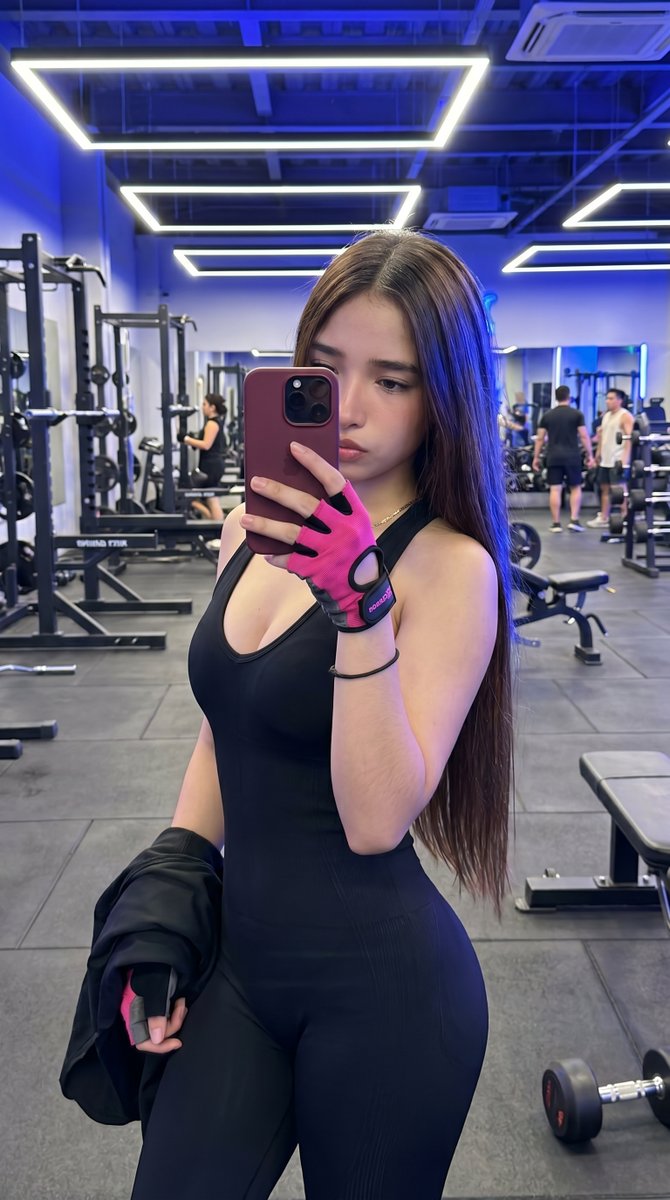
Subject details: Use a young woman with {argument name="hair color" default="dark brown/black"} messy hair tied in a high bun, visible eyebrow and eye on the left and right panels, medium warm skin tone, wearing a simple dark crew-neck shirt and a thin necklace. Keep the same head position across all four transformations.

Style panel details: The photo panel should look like a casual indoor selfie with shallow depth of field and natural texture. The manga panel should use dramatic black ink, white highlights, crosshatching, and clean linework. The retro comic panel should use bold outlines, red and yellow background bursts, blue-black hair highlights, orange skin tones, and halftone dots. The pixel-art panel should use large square pixels, simplified facial features, teal background, and a limited palette.

Visual style: High-contrast social media product preview, crisp vertical divisions, glossy black UI chrome, neon cyan accents, clean rounded thumbnail cards, polished GPT-image promotional aesthetic.

Constraints: Include exactly 4 main vertical panels and exactly 4 bottom thumbnails. Do not add readable text, logos, or watermarks. Keep the central beige square mask prominent and perfectly centered. Use {argument name="interface mood" default="dark futuristic mobile UI"}, {argument name="comic transformation theme" default="manga, retro comic, and pixel art selfie conversion"}, and {argument name="background setting" default="blurred creative studio desk"}.
Translations
自拍转漫画风格分屏样机
enGoal: Create a vertical promotional app-style mockup for a “selfie to comic” image transformation tool, showing one portrait converted into multiple comic styles while keeping the same face structure recognizable. Canvas: Tall smartphone-like 4:5 composition, dark glossy interface frame with thin cyan glow lines along the left and right edges. Background outside the phone is softly blurred, like a desk or creative studio with papers and drawing materials. Layout: The main preview fills most of the screen and is split into exactly 4 vertical style panels from left to right: 1) realistic selfie/photo style, 2) black-and-white manga ink drawing, 3) saturated retro comic book halftone style, 4) chunky pixel-art avatar style. A large centered square mask/placeholder covers the middle of the face and upper torso area, colored warm beige/gray, as if the central facial region is intentionally hidden. Below the main preview is a dark carousel strip with exactly 4 rounded thumbnail cards matching the same four styles: photo selfie, manga ink, retro comic, and pixel art. Subject details: Use a young woman with {argument name="hair color" default="dark brown/black"} messy hair tied in a high bun, visible eyebrow and eye on the left and right panels, medium warm skin tone, wearing a simple dark crew-neck shirt and a thin necklace. Keep the same head position across all four transformations. Style panel details: The photo panel should look like a casual indoor selfie with shallow depth of field and natural texture. The manga panel should use dramatic black ink, white highlights, crosshatching, and clean linework. The retro comic panel should use bold outlines, red and yellow background bursts, blue-black hair highlights, orange skin tones, and halftone dots. The pixel-art panel should use large square pixels, simplified facial features, teal background, and a limited palette. Visual style: High-contrast social media product preview, crisp vertical divisions, glossy black UI chrome, neon cyan accents, clean rounded thumbnail cards, polished GPT-image promotional aesthetic. Constraints: Include exactly 4 main vertical panels and exactly 4 bottom thumbnails. Do not add readable text, logos, or watermarks. Keep the central beige square mask prominent and perfectly centered. Use {argument name="interface mood" default="dark futuristic mobile UI"}, {argument name="comic transformation theme" default="manga, retro comic, and pixel art selfie conversion"}, and {argument name="background setting" default="blurred creative studio desk"}.
自拍转漫画风格分屏样机
zh-CN目标:为一款“自拍转漫画”图像转换工具创建一个垂直的 App 风格宣传样机,展示同一张人像在保持面部结构可辨识的前提下,转换为多种漫画风格。 画布:类似智能手机的 4:5 纵向构图,深色光泽感界面边框,左右边缘带有细长的青色发光线条。手机外部背景经过柔和模糊处理,呈现出类似书桌或带有纸张和绘画素材的创意工作室环境。 布局:主预览图占据屏幕大部分空间,从左到右精确划分为 4 个垂直风格面板:1) 写实自拍/照片风格,2) 黑白漫画墨水画风格,3) 高饱和度复古连环画半色调风格,4) 块状像素艺术头像风格。一个居中的大方形遮罩/占位符覆盖了面部中部和上半身区域,呈暖米灰色,仿佛面部中心区域被刻意隐藏。主预览图下方是一个深色轮播条,包含 4 个与上述四种风格对应的圆角缩略图卡片:照片自拍、漫画墨水、复古连环画和像素艺术。 主体细节:使用一位年轻女性,{argument name="hair color" default="深棕色/黑色"} 的凌乱头发扎成高丸子头,左右面板可见眉毛和眼睛,中等暖色调肤色,身穿简单的深色圆领衫并佩戴细项链。在所有四种转换中保持相同的头部位置。 风格面板细节:照片面板应看起来像一张带有浅景深和自然质感的休闲室内自拍。漫画面板应使用戏剧性的黑色墨水、白色高光、交叉排线和干净的线条。复古连环画面板应使用粗轮廓、红黄色背景爆发效果、蓝黑色头发高光、橙色肤色和半色调网点。像素艺术面板应使用大方块像素、简化的面部特征、青色背景和有限的调色板。 视觉风格:高对比度社交媒体产品预览,清晰的垂直分割,光泽感黑色 UI 外壳,霓虹青色点缀,简洁的圆角缩略图卡片,精致的 GPT 图像宣传美学。 约束条件:包含精确的 4 个主垂直面板和 4 个底部缩略图。不要添加可读文字、Logo 或水印。保持中央米色方形遮罩突出且完美居中。使用 {argument name="interface mood" default="深色未来感移动端 UI"}、{argument name="comic transformation theme" default="漫画、复古连环画和像素艺术自拍转换"} 以及 {argument name="background setting" default="模糊的创意工作室书桌"}。