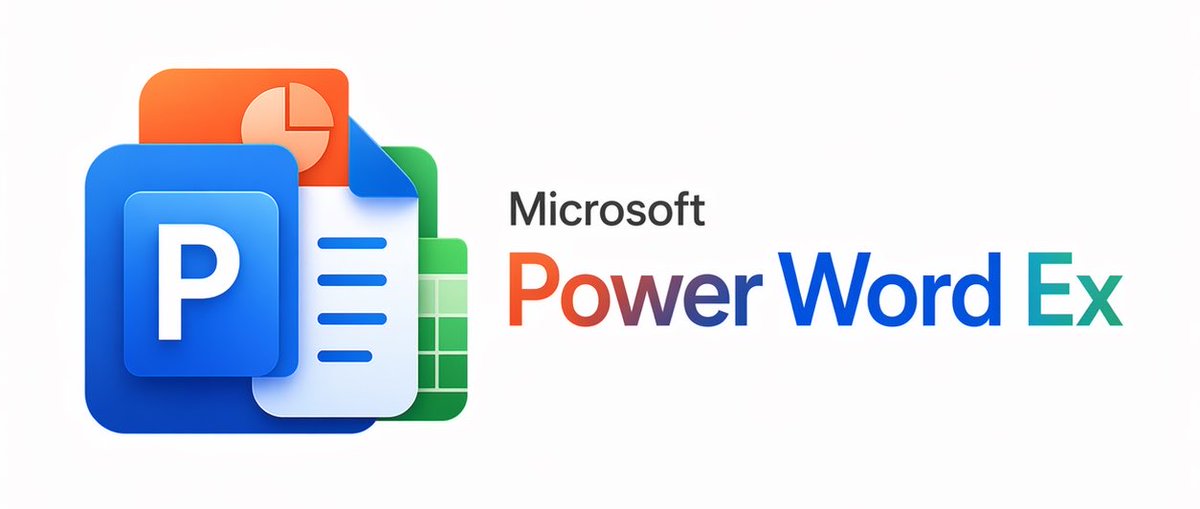
Microsoft PowerWordEx 宣传图
此提示词可生成一张精美的仿 Microsoft 产品横幅,将 PowerPoint、Word 和 Excel 的品牌元素融合为一张极具质感的 3D 营销风格图片。
- Category
- Charts & Infographics
- Model
- GPT Image 2
- Creator
- 暁
- Source language
- en
- Source ID
- 14949
- Published
- Apr 23, 2026
Full prompt
A clean minimalist tech logo composition on a light gray background, wide horizontal layout. On the left, show a stacked cluster of 4 overlapping Microsoft Office-style app icons with soft gradients, rounded corners, subtle depth, and glossy modern vector shading. The front icon is a large blue square tile with a smaller raised blue panel containing a bold white capital P. Behind and slightly above it, place an orange presentation icon with a white pie-chart symbol. Behind the blue icon to the right, place a white document page icon with a folded blue corner and 4 horizontal blue text lines. At the back on the right, place a green spreadsheet icon with a white grid. Arrange the 4 icons so they overlap tightly and read as a unified hybrid Office app mark. On the right side, place the product name in a clean sans-serif font: small black text reading Microsoft above a large multicolor wordmark reading {argument name="headline text" default="PowerWordEx"}. Color the word in segmented Microsoft-style hues: warm orange-red for Power, deep blue for Word, and teal-green for Ex. Center the whole composition vertically, keep generous whitespace, and render it as polished corporate branding mockup, crisp vector illustration, soft shadowing, no extra objects.Translations
Microsoft PowerWordEx 宣传图
enA clean minimalist tech logo composition on a light gray background, wide horizontal layout. On the left, show a stacked cluster of 4 overlapping Microsoft Office-style app icons with soft gradients, rounded corners, subtle depth, and glossy modern vector shading. The front icon is a large blue square tile with a smaller raised blue panel containing a bold white capital P. Behind and slightly above it, place an orange presentation icon with a white pie-chart symbol. Behind the blue icon to the right, place a white document page icon with a folded blue corner and 4 horizontal blue text lines. At the back on the right, place a green spreadsheet icon with a white grid. Arrange the 4 icons so they overlap tightly and read as a unified hybrid Office app mark. On the right side, place the product name in a clean sans-serif font: small black text reading Microsoft above a large multicolor wordmark reading {argument name="headline text" default="PowerWordEx"}. Color the word in segmented Microsoft-style hues: warm orange-red for Power, deep blue for Word, and teal-green for Ex. Center the whole composition vertically, keep generous whitespace, and render it as polished corporate branding mockup, crisp vector illustration, soft shadowing, no extra objects.
Microsoft PowerWordEx 宣传图
zh-CN一张简洁的极简主义企业宣传图,背景为极浅的灰色,水平居中。在左侧,创建一个由 4 个重叠的 Microsoft Office 风格应用图标组成的 3D 光泽堆叠,图标采用圆角设计并带有柔和阴影:最前方是一个巨大的蓝色 PowerPoint 图标,其中包含一个带有粗体白色大写字母 P 的凸起蓝色小方块;其后是一个带有右上角折页和 3 行蓝色水平文本的白蓝色 Word 文档图标;再后是一个带有白色网格的绿色 Excel 表格图标;最后是一个带有浅色饼图的橙色演示文稿 Slides 图标。这些图标应紧密堆叠成一个紧凑的集群,具有现代平滑的渐变、微妙的反射和柔和的深度感。在图标集群的右侧,放置黑色的“Microsoft”字样,使用简洁的无衬线字体,其下方是一个醒目的大标题“PowerWordEx”,将 3 个产品名称在视觉上合并为一个词:“Power”采用橙色到红色的渐变,“Word”采用深蓝色渐变,“Ex”采用青色到蓝绿色的渐变。保持排版清晰平衡,留白充足,呈现出精致的科技品牌美感,并采用宽幅横幅式的构图。