带有参考角色的 Notebook Slides
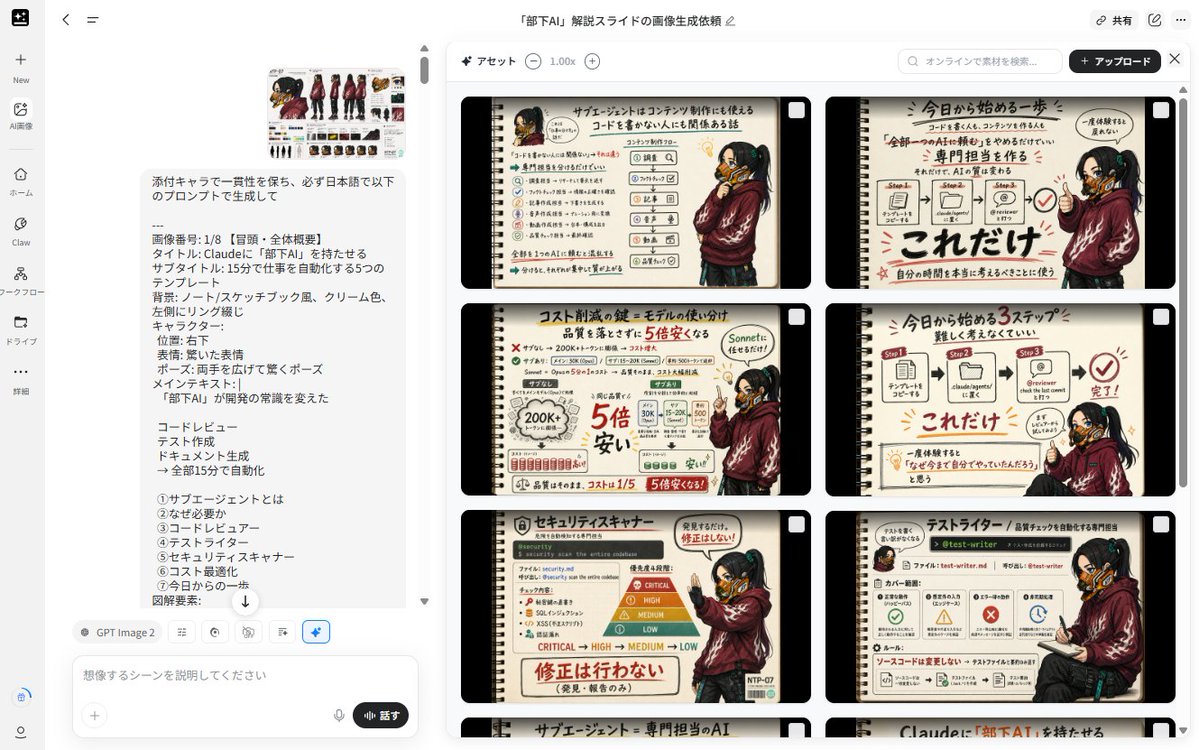
使用提供的角色表作为统一的演示吉祥物,创建一套 8 页的日式笔记本风格教育演示文稿。
- Category
- Charts & Infographics
- Model
- GPT Image 2
- Creator
- テツメモ|AI図解×検証|Newsletter
- Source language
- en
- Source ID
- 23679
- Published
- Jun 1, 2026
Full prompt
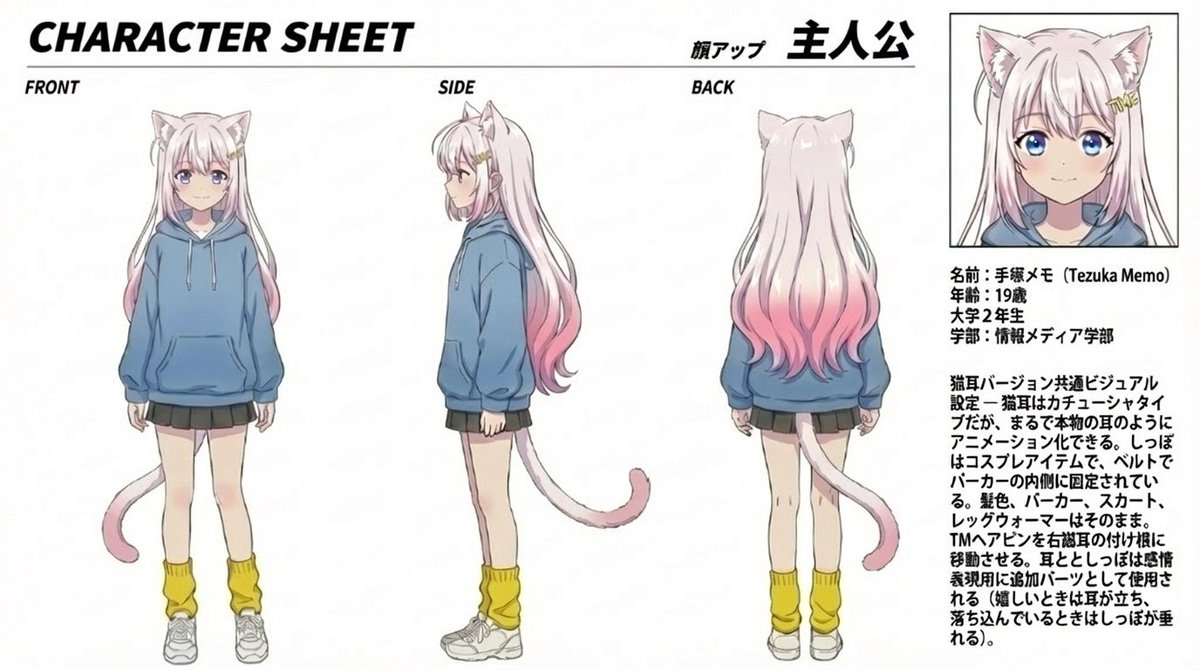
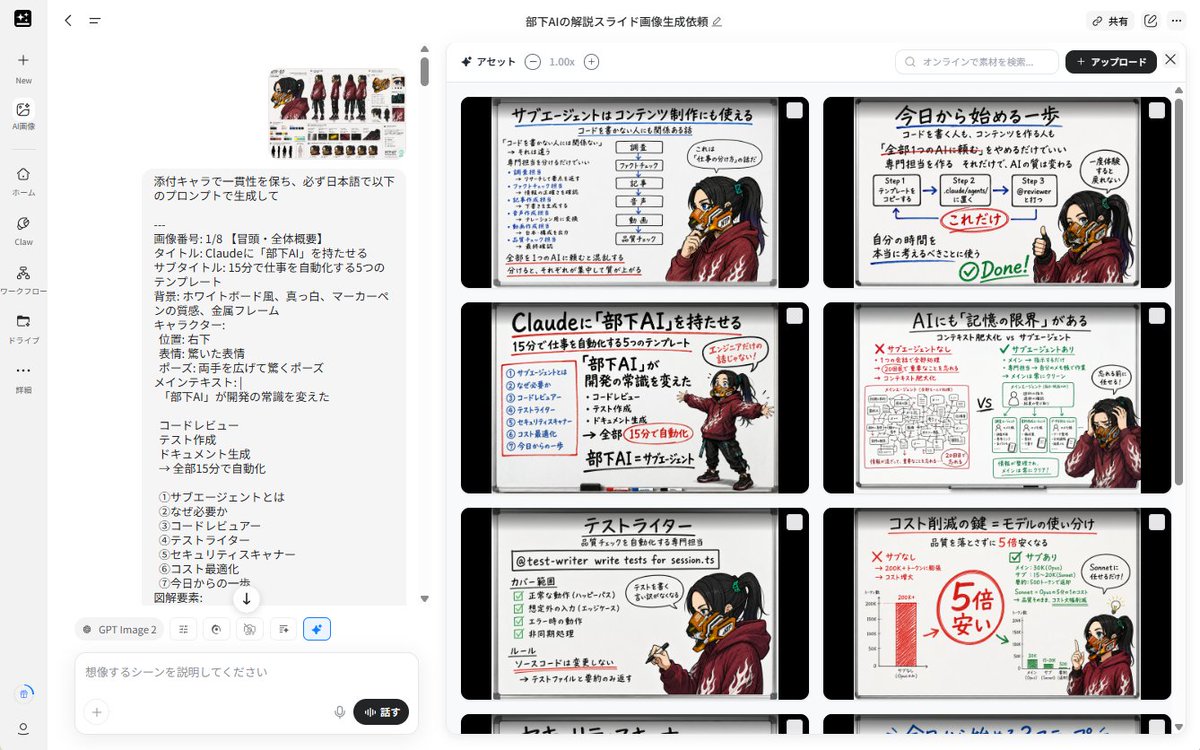
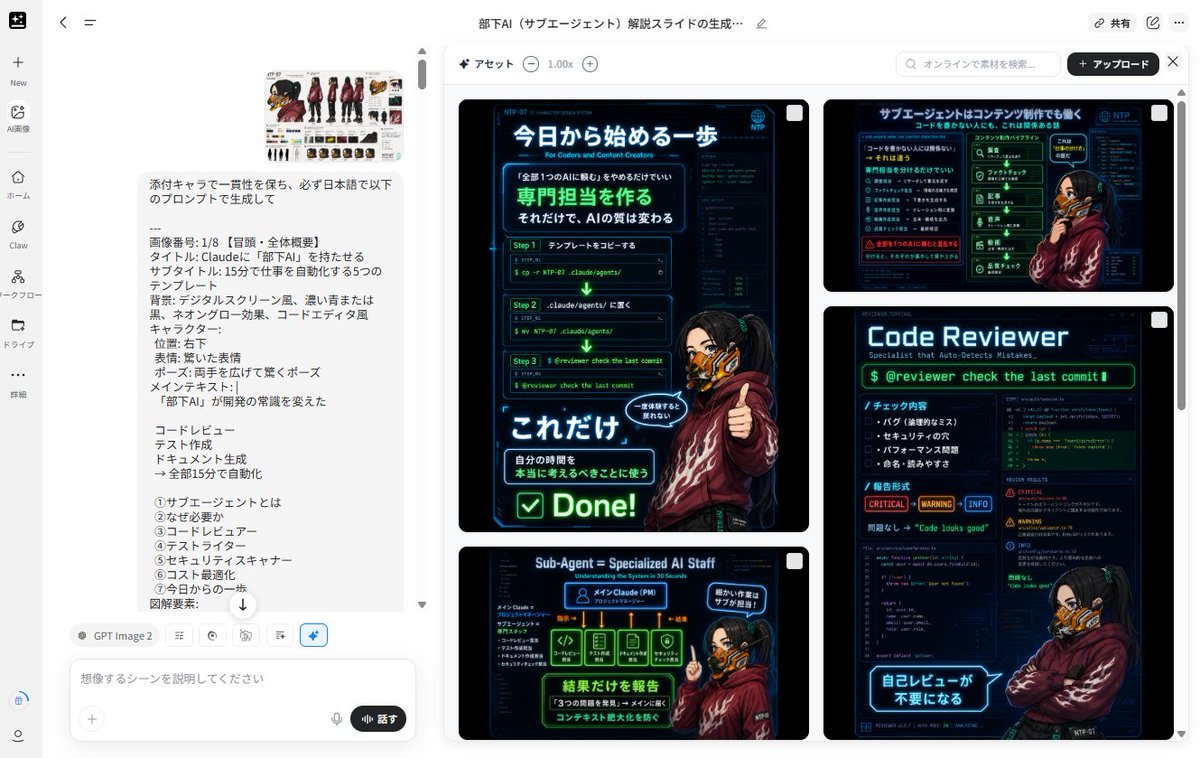
Using REFERENCE_0 as the character base, create a consistent set of exactly 8 Japanese educational slide images about {argument name="topic" default="Claudeに『部下AI』を持たせる"}. Keep the character design, outfit, mask, hairstyle, and cyberpunk details consistent with the reference, but redraw the character in new poses and expressions for each slide.

Overall format: Each slide should look like a hand-drawn notebook/sketchbook page with a cream paper background, black rounded outer frame, left-side spiral binding, marker-style Japanese handwriting, red emphasis marks, arrows, check marks, small icons, and simple workflow diagrams. Use a warm analog note-taking style rather than a clean corporate deck. Maintain the same slide design language across all 8 images.

Character placement: Place the character as a presenter/mascot on the right side or lower-right area of most slides. Vary the pose naturally: surprised with both hands open, pointing at diagrams, holding a clipboard, sitting while reviewing, making an OK/check gesture, or explaining with one raised finger. Preserve the reference character’s identity and clothing.

Generate exactly these 8 slide topics:
1. Opening / overall overview: Title text {argument name="headline text" default="Claudeに『部下AI』を持たせる"}; subtitle {argument name="subtitle text" default="15分で仕事を自動化する5つのテンプレート"}; main message: 「部下AI」が開発の常識を変えた; include the five automation examples: コードレビュー, テスト作成, ドキュメント生成, 全部15分で自動化, and a simple checklist-like layout.
2. What is a sub-agent: Explain 「サブエージェントとは」 as a reusable AI role or specialist assistant. Include small role cards and arrows showing a main Claude agent delegating tasks.
3. Why it is needed: Explain 「なぜ必要か」 with a before/after comparison, emphasizing that repeatedly asking AI for the same tasks is inefficient and can be turned into templates.
4. Code reviewer: Title 「コードレビュー」; show a GitHub/code review style flow with files, comments, bugs, and a check mark.
5. Test writer: Title 「テストライター」; show a test-generation workflow with steps, file names, unit tests, and pass/fail style icons.
6. Security scanner: Title 「セキュリティスキャナー」; show risk levels CRITICAL, HIGH, MEDIUM, LOW and emphasize that the agent detects issues but does not automatically fix them.
7. Cost optimization: Title 「コスト削減の鍵:モデルの使い分け」; show a comparison that cheaper/smaller models can handle simple checks and that costs can become much cheaper, with bold red savings notes.
8. Start today / summary: Title 「今日から始める一歩」; show a simple 3-step process: create a template, place it in a Claude agents folder or workflow, ask for review/automation, then mark it complete with a big check.

Text style: Use Japanese text throughout. Make headlines large and bold, with red underlines and handwritten annotations. Keep diagrams simple and readable. Use only the listed 8 slide topics and do not add extra slides.

Constraints: Keep the same notebook layout, cream color palette, black border, left spiral binding, and consistent character identity across every image. Avoid photorealism, avoid 3D rendering, avoid watermarks, and do not change the character into a different person.
Translations
带有参考角色的 Notebook Slides
enUsing REFERENCE_0 as the character base, create a consistent set of exactly 8 Japanese educational slide images about {argument name="topic" default="Claudeに『部下AI』を持たせる"}. Keep the character design, outfit, mask, hairstyle, and cyberpunk details consistent with the reference, but redraw the character in new poses and expressions for each slide. Overall format: Each slide should look like a hand-drawn notebook/sketchbook page with a cream paper background, black rounded outer frame, left-side spiral binding, marker-style Japanese handwriting, red emphasis marks, arrows, check marks, small icons, and simple workflow diagrams. Use a warm analog note-taking style rather than a clean corporate deck. Maintain the same slide design language across all 8 images. Character placement: Place the character as a presenter/mascot on the right side or lower-right area of most slides. Vary the pose naturally: surprised with both hands open, pointing at diagrams, holding a clipboard, sitting while reviewing, making an OK/check gesture, or explaining with one raised finger. Preserve the reference character’s identity and clothing. Generate exactly these 8 slide topics: 1. Opening / overall overview: Title text {argument name="headline text" default="Claudeに『部下AI』を持たせる"}; subtitle {argument name="subtitle text" default="15分で仕事を自動化する5つのテンプレート"}; main message: 「部下AI」が開発の常識を変えた; include the five automation examples: コードレビュー, テスト作成, ドキュメント生成, 全部15分で自動化, and a simple checklist-like layout. 2. What is a sub-agent: Explain 「サブエージェントとは」 as a reusable AI role or specialist assistant. Include small role cards and arrows showing a main Claude agent delegating tasks. 3. Why it is needed: Explain 「なぜ必要か」 with a before/after comparison, emphasizing that repeatedly asking AI for the same tasks is inefficient and can be turned into templates. 4. Code reviewer: Title 「コードレビュー」; show a GitHub/code review style flow with files, comments, bugs, and a check mark. 5. Test writer: Title 「テストライター」; show a test-generation workflow with steps, file names, unit tests, and pass/fail style icons. 6. Security scanner: Title 「セキュリティスキャナー」; show risk levels CRITICAL, HIGH, MEDIUM, LOW and emphasize that the agent detects issues but does not automatically fix them. 7. Cost optimization: Title 「コスト削減の鍵:モデルの使い分け」; show a comparison that cheaper/smaller models can handle simple checks and that costs can become much cheaper, with bold red savings notes. 8. Start today / summary: Title 「今日から始める一歩」; show a simple 3-step process: create a template, place it in a Claude agents folder or workflow, ask for review/automation, then mark it complete with a big check. Text style: Use Japanese text throughout. Make headlines large and bold, with red underlines and handwritten annotations. Keep diagrams simple and readable. Use only the listed 8 slide topics and do not add extra slides. Constraints: Keep the same notebook layout, cream color palette, black border, left spiral binding, and consistent character identity across every image. Avoid photorealism, avoid 3D rendering, avoid watermarks, and do not change the character into a different person.
带有参考角色的 Notebook Slides
zh-CN以 REFERENCE_0 为角色基础,创建一套由 8 张图片组成的日式教育 Slides,主题为 {argument name="topic" default="Claudeに『部下AI』を持たせる"}。保持角色设计、服装、面具、发型和赛博朋克细节与参考图一致,但在每张 Slide 中重新绘制角色的姿势和表情。 整体格式:每张 Slide 应呈现为手绘笔记本/速写本页面,背景为米色纸张,带有黑色圆角外框,左侧有螺旋装订,使用马克笔风格的日语手写字体,并配有红色强调标记、箭头、对勾、小图标和简单的流程图。采用温暖的模拟笔记风格,而非整洁的企业演示文稿。在所有 8 张图片中保持统一的 Slide 设计语言。 角色放置:在大多数 Slide 中,将角色作为演示者/吉祥物放置在右侧或右下角。姿势要自然多变:双手张开表示惊讶、指向图表、拿着剪贴板、坐着审阅、做出 OK/确认手势,或举起一根手指进行讲解。保留参考角色的身份和服装特征。 生成以下 8 个 Slide 主题: 1. 开场/整体概述:标题文本 {argument name="headline text" default="Claudeに『部下AI』を持たせる"};副标题 {argument name="subtitle text" default="15分で仕事を自動化する5つのテンプレート"};核心信息:「部下AI」が開発の常識を変えた;包含五个自动化示例:コードレビュー、テスト作成、ドキュメント生成、全部15分で自動化,以及简单的清单式布局。 2. 什么是子 Agent:解释「サブエージェントとは」,即一种可复用的 AI 角色或专家助手。包含小型角色卡片和箭头,展示主 Claude Agent 如何委派任务。 3. 为什么需要它:解释「なぜ必要か」,通过对比前后差异,强调反复要求 AI 执行相同任务效率低下,可以将其转化为模板。 4. 代码审查员:标题「コードレビュー」;展示 GitHub/代码审查风格的流程,包含文件、注释、Bug 和对勾图标。 5. 测试编写器:标题「テストライター」;展示测试生成工作流,包含步骤、文件名、单元测试和通过/失败风格的图标。 6. 安全扫描器:标题「セキュリティスキャナー」;展示风险等级 CRITICAL、HIGH、MEDIUM、LOW,并强调 Agent 仅检测问题而不自动修复。 7. 成本优化:标题「コスト削減の鍵:モデルの使い分け」;展示对比,说明更便宜/更小的模型可以处理简单的检查,从而大幅降低成本,并用醒目的红色标注节省金额。 8. 今日起步/总结:标题「今日から始める一歩」;展示简单的 3 步流程:创建模板,将其放入 Claude Agents 文件夹或工作流中,请求审查/自动化,最后用一个大对勾标记完成。 文字风格:全程使用日语。标题要大且粗,带有红色下划线和手写注释。图表要简洁易读。仅使用列出的 8 个 Slide 主题,不要添加额外页面。 约束条件:每张图片必须保持相同的笔记本布局、米色调色板、黑色边框、左侧螺旋装订以及一致的角色身份。避免照片级真实感,避免 3D 渲染,避免水印,且不得将角色更改为其他人。