Design System Card Set
Generate a clean design system overview board for a fictional product language called LUMEN UI, arranged as a square component gallery on a 2048x2048 canvas. Use a neutral palette
- 分类
- UI 与界面
- 模型
- GPT Image 2
- 来源作者
- wuyoscar
- 原始语言
- en
- 来源 ID
- 104
完整提示词
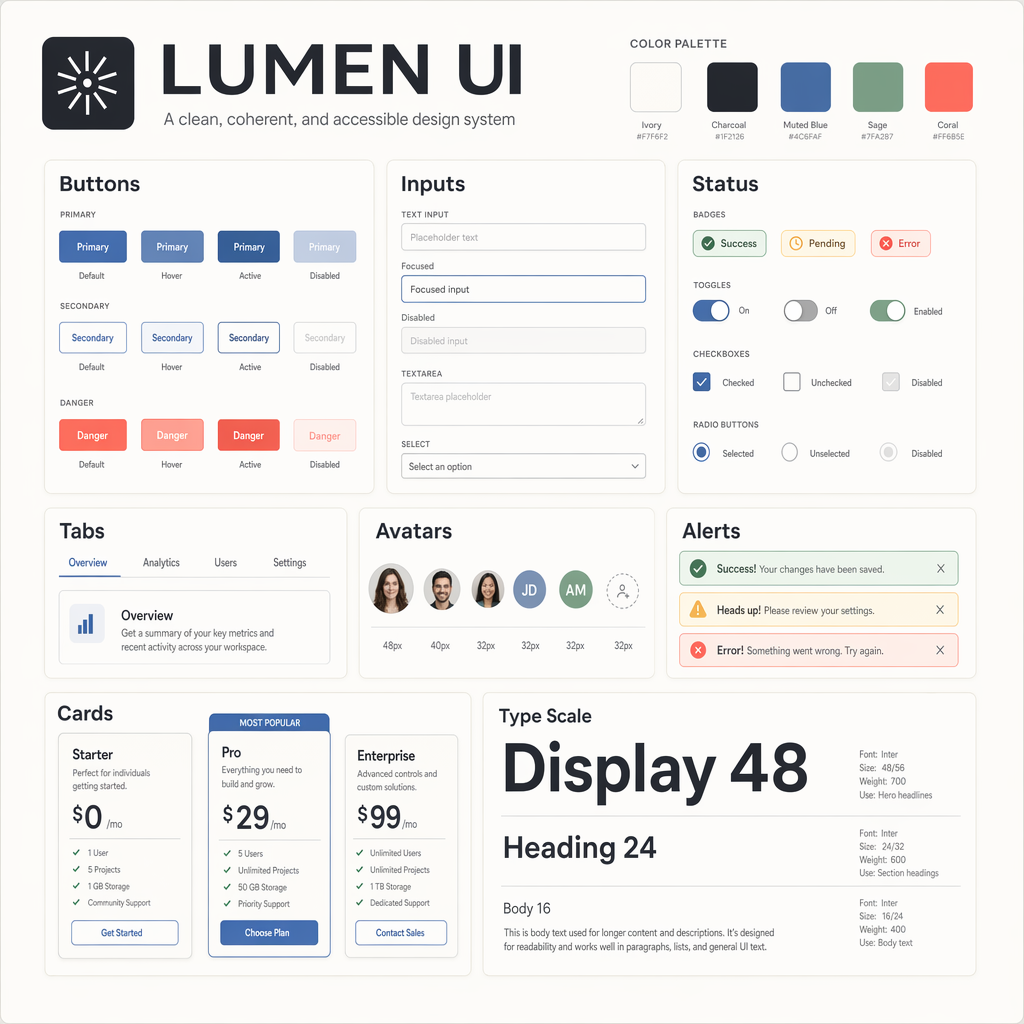
Generate a clean design system overview board for a fictional product language called LUMEN UI, arranged as a square component gallery on a 2048x2048 canvas. Use a neutral palette of ivory, charcoal, muted blue, sage, and coral accents. The composition should be an orderly grid of cards showing buttons, input fields, badges, toggles, tabs, avatars, alerts, and pricing cards. Include crisp typography, even spacing, subtle shadows, and exact alignment as if exported from a professional design tool. Add labeled sections with the in-image text "LUMEN UI", "Buttons", "Inputs", "Status", "Cards", and "Type Scale". Include sample button labels "Primary", "Secondary", and "Danger"; badge labels "Success", "Pending", and "Error"; and typography specimens "Display 48", "Heading 24", and "Body 16". Ensure the board feels systematic, editorial, and highly legible, with clean hierarchy, correct labels, and polished component consistency suitable for a design systems gallery.
多语言版本
Design System Card Set
enGenerate a clean design system overview board for a fictional product language called LUMEN UI, arranged as a square component gallery on a 2048x2048 canvas. Use a neutral palette of ivory, charcoal, muted blue, sage, and coral accents. The composition should be an orderly grid of cards showing buttons, input fields, badges, toggles, tabs, avatars, alerts, and pricing cards. Include crisp typography, even spacing, subtle shadows, and exact alignment as if exported from a professional design tool. Add labeled sections with the in-image text "LUMEN UI", "Buttons", "Inputs", "Status", "Cards", and "Type Scale". Include sample button labels "Primary", "Secondary", and "Danger"; badge labels "Success", "Pending", and "Error"; and typography specimens "Display 48", "Heading 24", and "Body 16". Ensure the board feels systematic, editorial, and highly legible, with clean hierarchy, correct labels, and polished component consistency suitable for a design systems gallery.