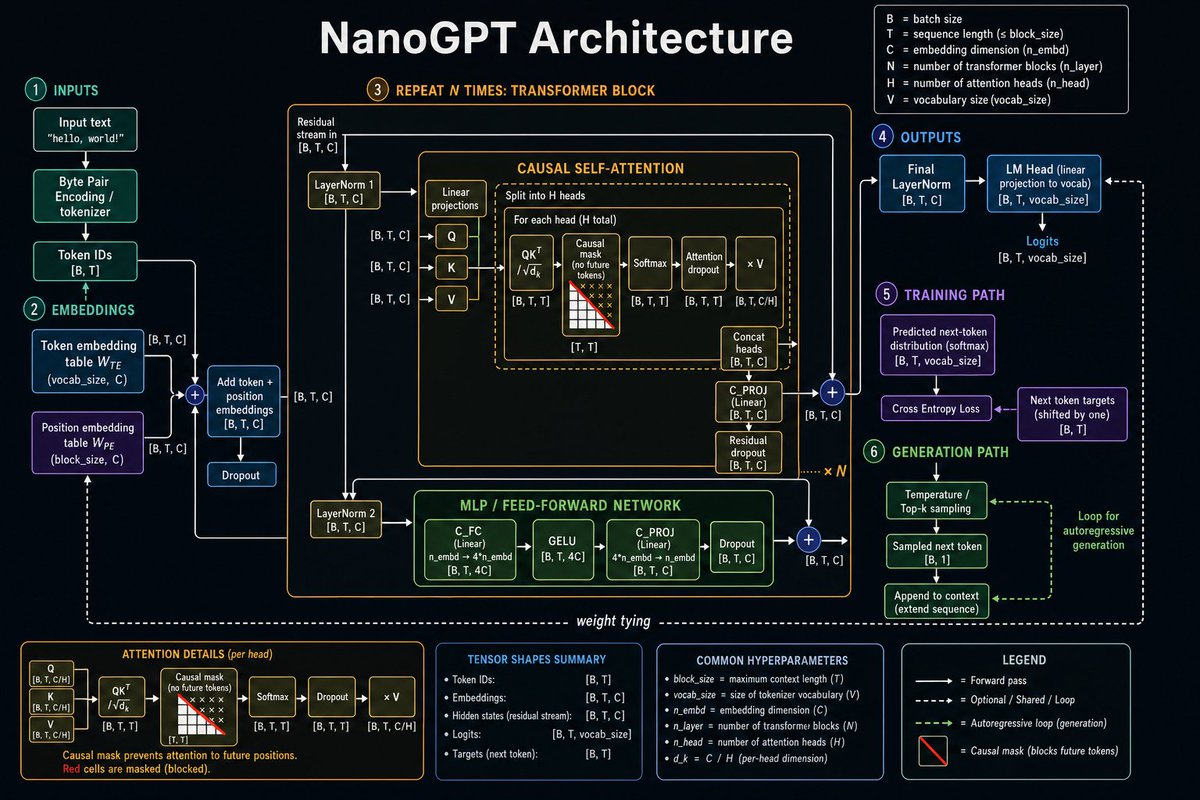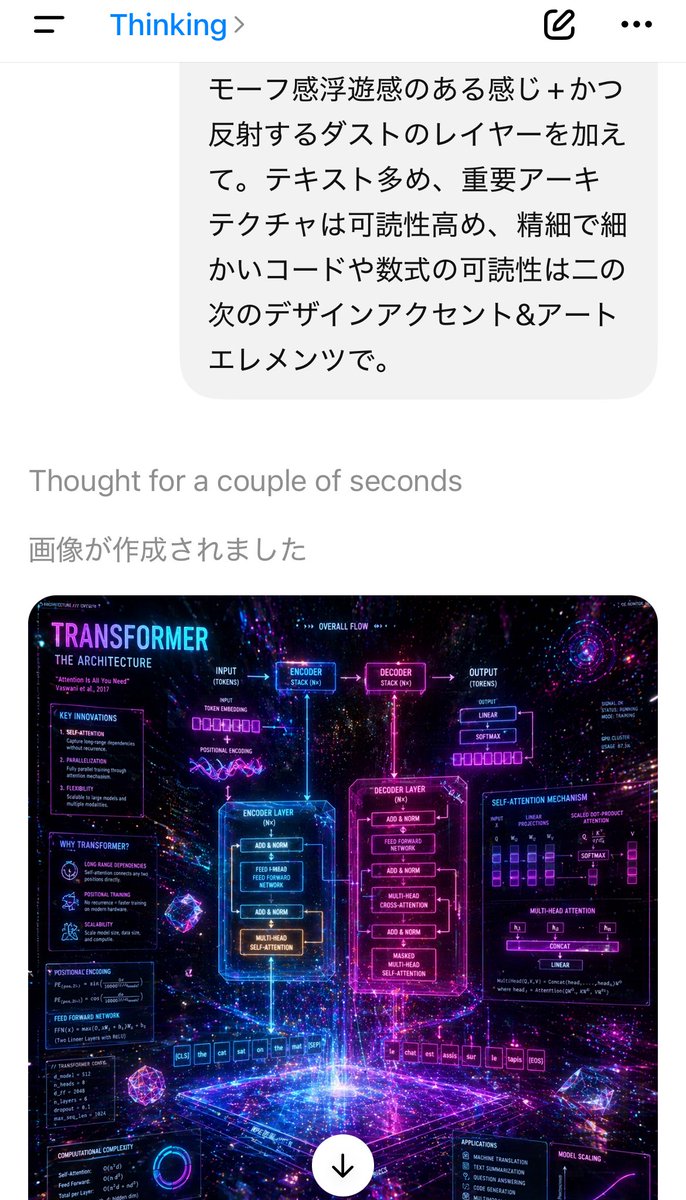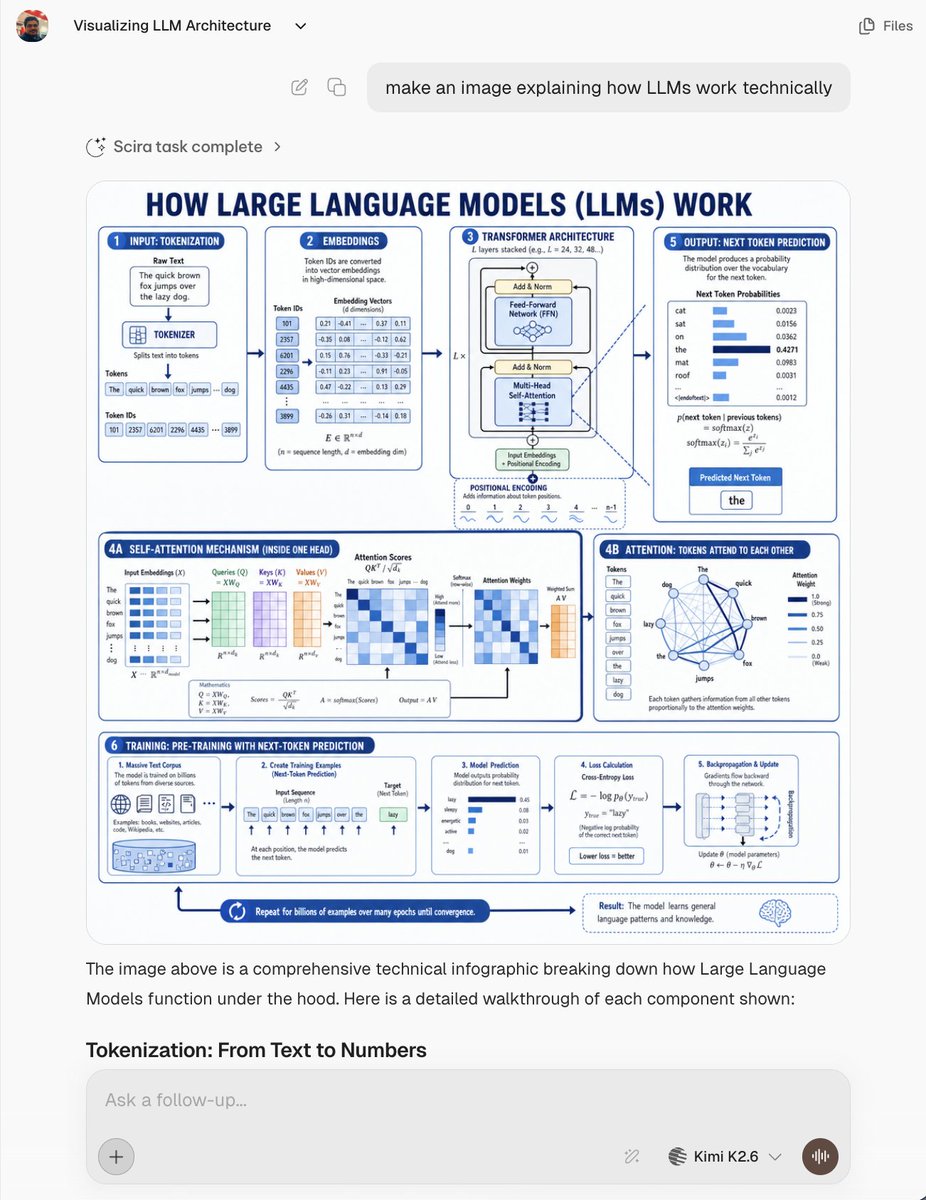
LLM 架构聊天截图
创建一张逼真的 AI 聊天截图,其中包含一张展示大语言模型工作原理的密集型蓝白配色技术信息图。
- 分类
- 图表信息图
- 模型
- GPT Image 2
- 来源作者
- Zaid
- 原始语言
- en
- 来源 ID
- 20258
- 发布时间
- 2026年5月14日
完整提示词
目标:创建一张逼真的 AI 聊天界面截图,展示一张关于 {argument name="topic" default="大语言模型 (LLMs) 技术原理"} 的生成式技术信息图。截图应呈现为现代 Web 应用的对话形式,而非独立的宣传海报。

画布:768×1024 垂直截图,浅灰色应用背景,圆角白色内容区域,简洁的无衬线字体,细微阴影,高分辨率,但信息图中的文字应像真实的嵌入式生成图像一样稍小。

聊天 UI 布局:左上角显示一个小型圆形用户头像,聊天标题“Visualizing LLM Architecture”及一个小巧的下拉箭头;右上角显示简单的“Files”标签及图标。下方显示一个居中/靠右对齐的圆角用户消息气泡,内容为:“make an image explaining how LLMs work technically”。下方显示一行状态栏,写着“Scira task complete”,配有闪烁/加载图标和箭头。主要生成的图像以大圆角矩形卡片形式出现在下方。图像下方包含助手的解释性文字:“The image above is a comprehensive technical infographic breaking down how Large Language Models function under the hood. Here is a detailed walkthrough of each component shown:”,随后是加粗的章节标题“Tokenization: From Text to Numbers”。底部显示一个圆角输入框,占位符为“Ask a follow-up...”,左侧有一个加号按钮,右侧有小型工具/模型控件,模型标签“Kimi K2.6”及下拉菜单,以及一个圆形语音按钮。

聊天中的生成式信息图:设计一张蓝白配色的技术教育海报,大号海军蓝大写标题为:“HOW LARGE LANGUAGE MODELS (LLMs) WORK”。使用白色背景、海军蓝轮廓、浅蓝色高亮、圆角面板,以及连接步骤的箭头、微型图表、公式、表格和图标。海报应信息密集且偏向工程化。

信息图板块:使用 8 个带标签的面板/区域:
1. “INPUT: TOKENIZATION”面板:显示一个原始文本框,内容为句子“The quick brown fox jumps over the lazy dog.”,一个分词器模块,单词的 Token 框,以及 Token ID 框。
2. “EMBEDDINGS”面板:显示转换为密集向量的 Token ID,以及一个包含数值嵌入值的表格。
3. “TRANSFORMER ARCHITECTURE”面板:显示堆叠的 Transformer 模块,包含 Add & Norm、前馈网络 (Feed-Forward Network)、多头自注意力机制 (Multi-Head Self-Attention)、输入嵌入、位置编码以及层重复符号。
4A. “SELF-ATTENTION MECHANISM (INSIDE ONE HEAD)”:左下角宽面板,显示输入嵌入、查询 (Queries)、键 (Keys)、值 (Values)、注意力分数、Softmax、注意力权重、加权求和及公式的矩阵。
4B. “ATTENTION: TOKENS ATTEND TO EACH OTHER”面板:显示示例句子中 Token 的网络图,由蓝色线条连接,并配有注意力权重条。
5. “OUTPUT: NEXT TOKEN PREDICTION”面板:显示候选下一个 Token(如 cat, sat, on, the, mat, roof)的概率分布条,并高亮显示预测的下一个 Token “the”。
6. “TRAINING: PRE-TRAINING WITH NEXT-TOKEN PREDICTION”:底部的长条,分为 5 个迷你卡片:海量文本语料库、创建训练示例、模型预测、损失计算以及反向传播/更新。
7. 底部流程箭头,文字为:“Repeat for billions of examples over many epochs until convergence.”
8. 右下角结果标注,配有大脑图标,解释模型如何学习通用语言模式和知识。

视觉风格:清晰的矢量信息图,学术且友好,深海军蓝标题,中蓝色边框,浅蓝色填充,微型表格和图表,简洁的箭头,圆角卡片,一致的间距。使嵌入的信息图看起来像一张 AI 生成的教育图表,文字密集但大部分清晰可辨。

约束:所有 UI 文字保持为英文。不要添加水印。保留可见的聊天截图框架和大型嵌入式信息图。使用列出的 8 个信息图区域,并在训练长条内使用 5 个迷你卡片。
多语言版本
LLM 架构聊天截图
enGoal: Create a realistic screenshot of an AI chat interface showing a generated technical infographic about {argument name="topic" default="how Large Language Models (LLMs) work technically"}. The screenshot should look like a modern web app conversation, not a standalone poster. Canvas: 768×1024 vertical screenshot, light gray app background, rounded white content areas, clean sans-serif typography, subtle shadows, high-resolution but with the infographic text slightly small like a real embedded generated image. Chat UI layout: At the top left show a small circular user avatar, the chat title “Visualizing LLM Architecture” with a tiny dropdown chevron, and at the top right a simple “Files” label with an icon. Below, show a rounded user message bubble aligned near the top center/right containing: “make an image explaining how LLMs work technically”. Under it, show a small status row reading “Scira task complete” with a sparkle/loader icon and chevron. The main generated image appears below as a large rounded rectangle card. Beneath the image, include assistant explanatory text: “The image above is a comprehensive technical infographic breaking down how Large Language Models function under the hood. Here is a detailed walkthrough of each component shown:” followed by the bold section heading “Tokenization: From Text to Numbers”. At the bottom, show a rounded input box with placeholder “Ask a follow-up...”, a plus button on the left, small tool/model controls on the right, the model label “Kimi K2.6” with a dropdown, and a circular voice button. Generated infographic inside the chat: Design a blue-and-white technical educational poster titled in large navy caps: “HOW LARGE LANGUAGE MODELS (LLMs) WORK”. Use a white background, navy-blue outlines, light-blue highlights, rounded panels, arrows connecting steps, miniature charts, equations, tables, and icons. The poster should be information-dense and engineering-oriented. Infographic sections: Use exactly 8 labeled panels/areas: 1. “INPUT: TOKENIZATION” panel showing a raw text box with the sentence “The quick brown fox jumps over the lazy dog.”, a tokenizer block, token boxes for the words, and token ID boxes. 2. “EMBEDDINGS” panel showing token IDs converted into dense vectors, with a small table of numeric embedding values. 3. “TRANSFORMER ARCHITECTURE” panel showing a stacked transformer block with Add & Norm, Feed-Forward Network, Multi-Head Self-Attention, input embeddings, positional encoding, and layer repetition notation. 4A. “SELF-ATTENTION MECHANISM (INSIDE ONE HEAD)” wide lower-left panel showing matrices for input embeddings, queries, keys, values, attention scores, softmax, attention weights, weighted sum, and equations. 4B. “ATTENTION: TOKENS ATTEND TO EACH OTHER” panel showing a network graph of tokens from the example sentence connected by blue lines plus attention-weight bars. 5. “OUTPUT: NEXT TOKEN PREDICTION” panel showing probability distribution bars for candidate next tokens such as cat, sat, on, the, mat, roof, then highlighting the predicted next token “the”. 6. “TRAINING: PRE-TRAINING WITH NEXT-TOKEN PREDICTION” long bottom strip divided into 5 mini-cards: massive text corpus, creating training examples, model prediction, loss calculation, and backpropagation/update. 7. Bottom process arrow reading “Repeat for billions of examples over many epochs until convergence.” 8. Bottom-right result callout with a brain icon explaining that the model learns general language patterns and knowledge. Visual style: Crisp vector infographic, academic but friendly, dark navy headings, medium-blue borders, pale-blue fills, tiny tables and plots, clean arrows, rounded cards, consistent spacing. Make the embedded infographic resemble an AI-generated educational diagram with dense but mostly legible small text. Constraints: Keep all UI text in English. Do not add watermarks. Preserve the visible chat screenshot framing and the large embedded infographic. Use exactly the listed 8 infographic areas and exactly 5 mini-cards inside the training strip.
LLM 架构聊天截图
zh-CN目标:创建一张逼真的 AI 聊天界面截图,展示一张关于 {argument name="topic" default="大语言模型 (LLMs) 技术原理"} 的生成式技术信息图。截图应呈现为现代 Web 应用的对话形式,而非独立的宣传海报。 画布:768×1024 垂直截图,浅灰色应用背景,圆角白色内容区域,简洁的无衬线字体,细微阴影,高分辨率,但信息图中的文字应像真实的嵌入式生成图像一样稍小。 聊天 UI 布局:左上角显示一个小型圆形用户头像,聊天标题“Visualizing LLM Architecture”及一个小巧的下拉箭头;右上角显示简单的“Files”标签及图标。下方显示一个居中/靠右对齐的圆角用户消息气泡,内容为:“make an image explaining how LLMs work technically”。下方显示一行状态栏,写着“Scira task complete”,配有闪烁/加载图标和箭头。主要生成的图像以大圆角矩形卡片形式出现在下方。图像下方包含助手的解释性文字:“The image above is a comprehensive technical infographic breaking down how Large Language Models function under the hood. Here is a detailed walkthrough of each component shown:”,随后是加粗的章节标题“Tokenization: From Text to Numbers”。底部显示一个圆角输入框,占位符为“Ask a follow-up...”,左侧有一个加号按钮,右侧有小型工具/模型控件,模型标签“Kimi K2.6”及下拉菜单,以及一个圆形语音按钮。 聊天中的生成式信息图:设计一张蓝白配色的技术教育海报,大号海军蓝大写标题为:“HOW LARGE LANGUAGE MODELS (LLMs) WORK”。使用白色背景、海军蓝轮廓、浅蓝色高亮、圆角面板,以及连接步骤的箭头、微型图表、公式、表格和图标。海报应信息密集且偏向工程化。 信息图板块:使用 8 个带标签的面板/区域: 1. “INPUT: TOKENIZATION”面板:显示一个原始文本框,内容为句子“The quick brown fox jumps over the lazy dog.”,一个分词器模块,单词的 Token 框,以及 Token ID 框。 2. “EMBEDDINGS”面板:显示转换为密集向量的 Token ID,以及一个包含数值嵌入值的表格。 3. “TRANSFORMER ARCHITECTURE”面板:显示堆叠的 Transformer 模块,包含 Add & Norm、前馈网络 (Feed-Forward Network)、多头自注意力机制 (Multi-Head Self-Attention)、输入嵌入、位置编码以及层重复符号。 4A. “SELF-ATTENTION MECHANISM (INSIDE ONE HEAD)”:左下角宽面板,显示输入嵌入、查询 (Queries)、键 (Keys)、值 (Values)、注意力分数、Softmax、注意力权重、加权求和及公式的矩阵。 4B. “ATTENTION: TOKENS ATTEND TO EACH OTHER”面板:显示示例句子中 Token 的网络图,由蓝色线条连接,并配有注意力权重条。 5. “OUTPUT: NEXT TOKEN PREDICTION”面板:显示候选下一个 Token(如 cat, sat, on, the, mat, roof)的概率分布条,并高亮显示预测的下一个 Token “the”。 6. “TRAINING: PRE-TRAINING WITH NEXT-TOKEN PREDICTION”:底部的长条,分为 5 个迷你卡片:海量文本语料库、创建训练示例、模型预测、损失计算以及反向传播/更新。 7. 底部流程箭头,文字为:“Repeat for billions of examples over many epochs until convergence.” 8. 右下角结果标注,配有大脑图标,解释模型如何学习通用语言模式和知识。 视觉风格:清晰的矢量信息图,学术且友好,深海军蓝标题,中蓝色边框,浅蓝色填充,微型表格和图表,简洁的箭头,圆角卡片,一致的间距。使嵌入的信息图看起来像一张 AI 生成的教育图表,文字密集但大部分清晰可辨。 约束:所有 UI 文字保持为英文。不要添加水印。保留可见的聊天截图框架和大型嵌入式信息图。使用列出的 8 个信息图区域,并在训练长条内使用 5 个迷你卡片。