日文版 PowerPoint 风格可爱兔图标编辑器
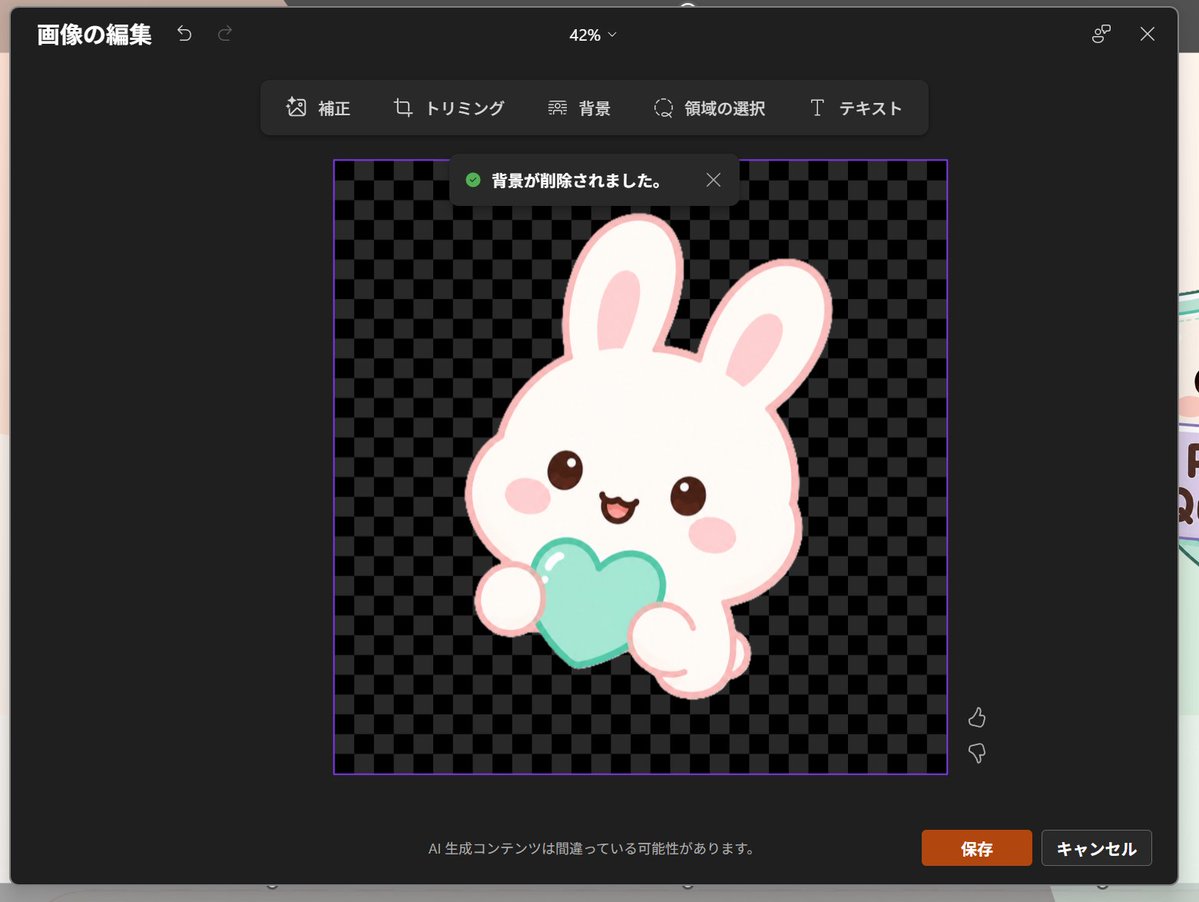
生成一张深色调的日文版 PowerPoint 风格图像编辑截图,展示一个背景透明的可爱兔图标,适用于 UI 原型设计和演示文稿视觉效果。
- 分类
- 图表信息图
- 模型
- GPT Image 2
- 来源作者
- 🌧️
- 原始语言
- en
- 来源 ID
- 20597
- 发布时间
- 2026年5月15日
完整提示词
目标:创建一张逼真的深色主题 PowerPoint 风格图像编辑窗口截图(日文版),展示背景移除后一个梦幻可爱的图标。

画布:1024×768 横向截图,屏幕中央为一个深炭灰色模态编辑器,具有圆角、柔和阴影,模态框边缘隐约可见下方的 Slides。顶部中央的缩放指示器显示为“42%”。

布局:左上角显示日文标题“画像の編集”以及两个小的撤销/重做箭头图标。右上角显示一个小型的连接点图标和一个 X 关闭图标。顶部栏下方居中放置一个浮动工具栏,包含 6 个工具,标签分别为:“補正”、“トリミング”、“背景”、“領域の選択”、“テキスト”,并配有简单的线条图标,水平排列在深色圆角矩形内。

主要编辑区域:中心处放置一个带有细紫色边框的正方形图像区域。内部使用黑灰相间的棋盘格透明背景图案。在该正方形顶部附近,显示一个深色通知弹窗,包含一个绿色勾选图标和日文文本“背景が削除されました。”以及一个小型的 X 关闭图标。

主体细节:将图标置于棋盘格正方形中心:一个粉彩梦幻可爱风的白色兔子吉祥物,带有粗浅粉色轮廓,头部圆润且偏大,两只长耳朵竖起,内耳为粉色,棕色亮面小眼睛,椭圆形粉色腮红,张嘴微笑。兔子双手抱住 1 个薄荷青色心形物体,可见两个圆润的爪子。心形上添加柔和的高光,采用干净的贴纸式矢量风格,无生硬阴影。角色应呈现出可爱的应用图标或贴纸质感。使用 {argument name="character" default="a white kawaii rabbit"},{argument name="held object" default="a mint-aqua heart"},以及 {argument name="accent color" default="pale pink"}。

页脚与控件:模态框底部中央显示日文警告文本“AI 生成コンテンツは間違っている可能性があります。”。右下角显示 2 个按钮:橙色的“保存”按钮和深灰色的“キャンセル”按钮。在图像区域右侧附近,包含 2 个垂直排列的反馈图标:点赞在上,点踩在下。

视觉风格:逼真的软件截图,清晰的 UI 文字,深色 Microsoft 风格界面,整洁的日文排版,透明背景棋盘格,可爱的粉彩贴纸艺术。构图需忠实于 PowerPoint 内置图像编辑器移除背景后的效果,而非独立的插画。
多语言版本
日文版 PowerPoint 风格可爱兔图标编辑器
enGoal: Create a realistic screenshot of a dark-themed PowerPoint-style image editing window in Japanese, showing a cute dreamy kawaii icon after background removal. Canvas: 1024×768 landscape screenshot with a dark charcoal modal editor centered on screen, rounded corners, subtle shadow, and a faint glimpse of the underlying slide behind the modal edges. The interface zoom indicator at the top center reads “42%”. Layout: At the top left, show the Japanese title “画像の編集” with two small undo/redo arrow icons. At the top right, show a small connected-dots icon and an X close icon. Below the top bar, center a floating toolbar with exactly 6 tools labeled: “補正”, “トリミング”, “背景”, “領域の選択”, “テキスト”, plus their small simple line icons, arranged horizontally in dark rounded rectangles. Main editing area: In the center, place a square image area outlined with a thin purple border. Inside it, use a black and dark-gray checkerboard transparency pattern. Near the top of this square, show a dark notification toast with a green check icon and the Japanese text “背景が削除されました。” plus a small X close icon. Subject details: Center the icon inside the checkerboard square: one pastel yume-kawaii white rabbit mascot with a thick pale pink outline, oversized rounded head, two long upright ears with pink inner ears, small brown glossy eyes, pink oval blush cheeks, and a happy open mouth. The bunny holds exactly 1 mint-aqua heart-shaped object in front of its body with two rounded paws visible. Add soft highlights on the heart and a clean sticker-like vector style with no harsh shadows. The character should feel like a cute app icon or sticker. Use {argument name="character" default="a white kawaii rabbit"}, {argument name="held object" default="a mint-aqua heart"}, and {argument name="accent color" default="pale pink"}. Footer and controls: At the bottom center of the modal, show the small Japanese warning text “AI 生成コンテンツは間違っている可能性があります。” At the bottom right, show exactly 2 buttons: an orange “保存” button and a dark gray “キャンセル” button. Near the right side of the image area, include exactly 2 small vertical feedback icons: thumbs up above thumbs down. Visual style: Realistic software screenshot, crisp UI text, dark Microsoft-style interface, clean Japanese typography, transparent-background checkerboard, cute pastel sticker art. Keep the composition faithful to a PowerPoint built-in image editor after background removal, not a standalone illustration.
日文版 PowerPoint 风格可爱兔图标编辑器
zh-CN目标:创建一张逼真的深色主题 PowerPoint 风格图像编辑窗口截图(日文版),展示背景移除后一个梦幻可爱的图标。 画布:1024×768 横向截图,屏幕中央为一个深炭灰色模态编辑器,具有圆角、柔和阴影,模态框边缘隐约可见下方的 Slides。顶部中央的缩放指示器显示为“42%”。 布局:左上角显示日文标题“画像の編集”以及两个小的撤销/重做箭头图标。右上角显示一个小型的连接点图标和一个 X 关闭图标。顶部栏下方居中放置一个浮动工具栏,包含 6 个工具,标签分别为:“補正”、“トリミング”、“背景”、“領域の選択”、“テキスト”,并配有简单的线条图标,水平排列在深色圆角矩形内。 主要编辑区域:中心处放置一个带有细紫色边框的正方形图像区域。内部使用黑灰相间的棋盘格透明背景图案。在该正方形顶部附近,显示一个深色通知弹窗,包含一个绿色勾选图标和日文文本“背景が削除されました。”以及一个小型的 X 关闭图标。 主体细节:将图标置于棋盘格正方形中心:一个粉彩梦幻可爱风的白色兔子吉祥物,带有粗浅粉色轮廓,头部圆润且偏大,两只长耳朵竖起,内耳为粉色,棕色亮面小眼睛,椭圆形粉色腮红,张嘴微笑。兔子双手抱住 1 个薄荷青色心形物体,可见两个圆润的爪子。心形上添加柔和的高光,采用干净的贴纸式矢量风格,无生硬阴影。角色应呈现出可爱的应用图标或贴纸质感。使用 {argument name="character" default="a white kawaii rabbit"},{argument name="held object" default="a mint-aqua heart"},以及 {argument name="accent color" default="pale pink"}。 页脚与控件:模态框底部中央显示日文警告文本“AI 生成コンテンツは間違っている可能性があります。”。右下角显示 2 个按钮:橙色的“保存”按钮和深灰色的“キャンセル”按钮。在图像区域右侧附近,包含 2 个垂直排列的反馈图标:点赞在上,点踩在下。 视觉风格:逼真的软件截图,清晰的 UI 文字,深色 Microsoft 风格界面,整洁的日文排版,透明背景棋盘格,可爱的粉彩贴纸艺术。构图需忠实于 PowerPoint 内置图像编辑器移除背景后的效果,而非独立的插画。