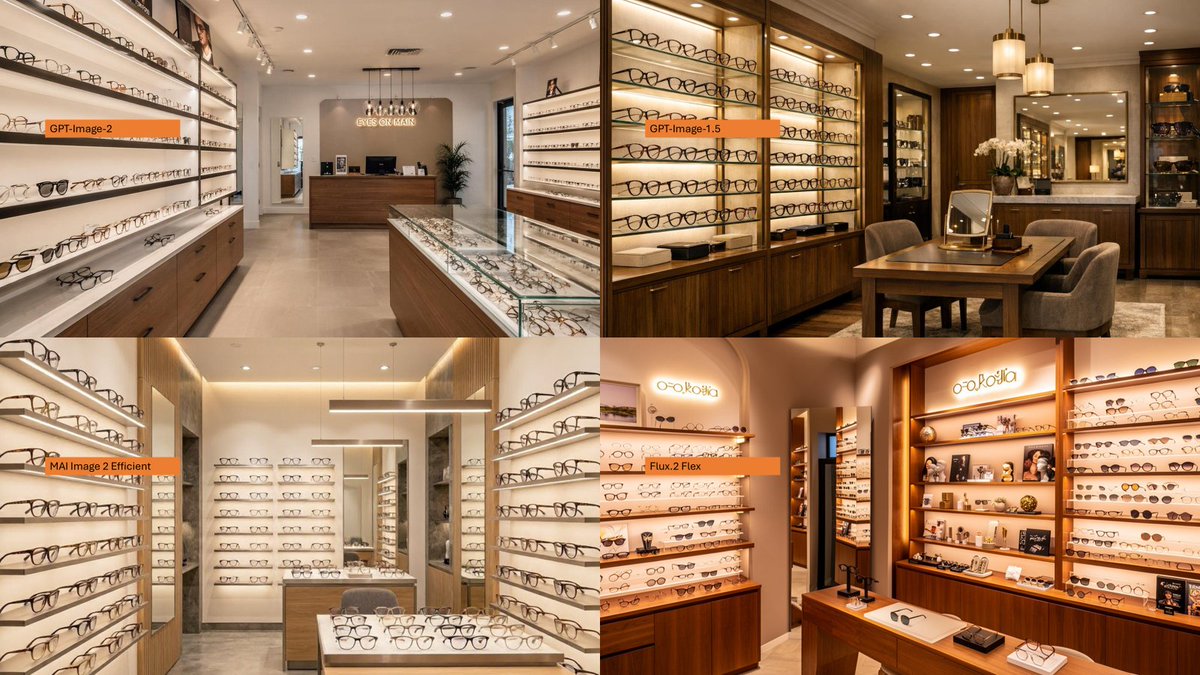
四宫格眼镜店模型对比
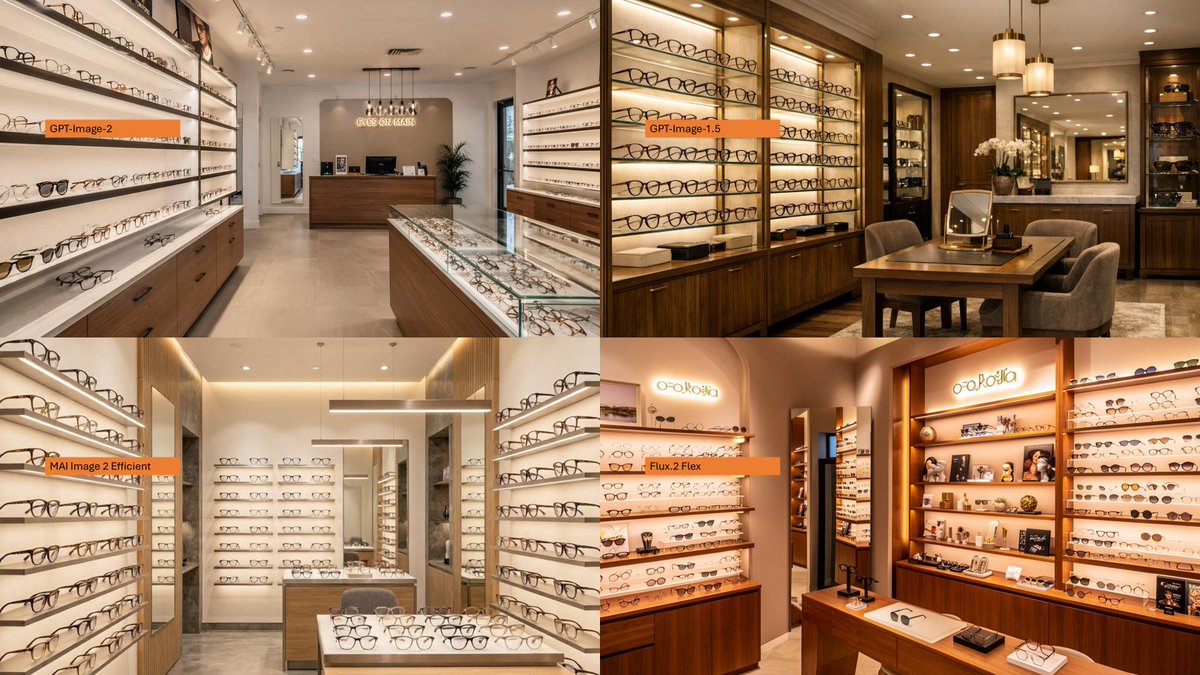
创建一个 2×2 的照片级真实感眼镜精品店室内对比拼图,并按图像生成模型进行标注。
- 分类
- 图表信息图
- 模型
- GPT Image 2
- 来源作者
- Ota Hirofumi 📖 Copilot 踏み込み活用術
- 原始语言
- en
- 来源 ID
- 20599
- 发布时间
- 2026年5月15日
完整提示词
以提供的参考图作为布局/对比灵感,将原本密集的日文政策信息图替换为 2×2 的照片级真实感对比拼图。4 个面板中的每一个都应展示 {argument name="store type" default="现代眼镜精品店"} 的不同真实室内场景,包含温暖的零售照明、摆满眼镜的货架、木制橱柜、展示柜、镜子以及精致的高端展厅氛围。在每个面板的左侧附近添加一个小的水平橙色标签,并精确使用以下 4 个标签:{argument name="top left label" default="GPT-Image-2"}、{argument name="top right label" default="GPT-Image-1.5"}、{argument name="bottom left label" default="MAI Image 2 Efficient"} 以及 {argument name="bottom right label" default="Flux.2 Flex"}。保持图像为简洁的四象限对比形式,不要包含任何日文报告文本、图表、政府风格的方框,除了这 4 个橙色标签外,不要添加任何额外的说明文字。多语言版本
四宫格眼镜店模型对比
enUsing the provided reference image as a layout/comparison inspiration, replace the dense Japanese policy infographic with a photorealistic 2×2 comparison collage. Each of the 4 panels should show a different realistic interior view of {argument name="store type" default="a modern eyeglasses boutique"}, with warm retail lighting, shelves full of glasses, wooden cabinetry, display cases, mirrors, and a polished upscale showroom feel. Add one small horizontal orange label near the left side of each panel, using exactly these 4 labels: {argument name="top left label" default="GPT-Image-2"}, {argument name="top right label" default="GPT-Image-1.5"}, {argument name="bottom left label" default="MAI Image 2 Efficient"}, and {argument name="bottom right label" default="Flux.2 Flex"}. Keep the image as a clean four-quadrant comparison, with no Japanese report text, no diagrams, no government-style boxes, and no extra captions beyond the four orange labels.
四宫格眼镜店模型对比
zh-CN以提供的参考图作为布局/对比灵感,将原本密集的日文政策信息图替换为 2×2 的照片级真实感对比拼图。4 个面板中的每一个都应展示 {argument name="store type" default="现代眼镜精品店"} 的不同真实室内场景,包含温暖的零售照明、摆满眼镜的货架、木制橱柜、展示柜、镜子以及精致的高端展厅氛围。在每个面板的左侧附近添加一个小的水平橙色标签,并精确使用以下 4 个标签:{argument name="top left label" default="GPT-Image-2"}、{argument name="top right label" default="GPT-Image-1.5"}、{argument name="bottom left label" default="MAI Image 2 Efficient"} 以及 {argument name="bottom right label" default="Flux.2 Flex"}。保持图像为简洁的四象限对比形式,不要包含任何日文报告文本、图表、政府风格的方框,除了这 4 个橙色标签外,不要添加任何额外的说明文字。